|
|
|
|
Insights and perspectives on technology, AI, software development, and industry trends from the TrueSolvers team.
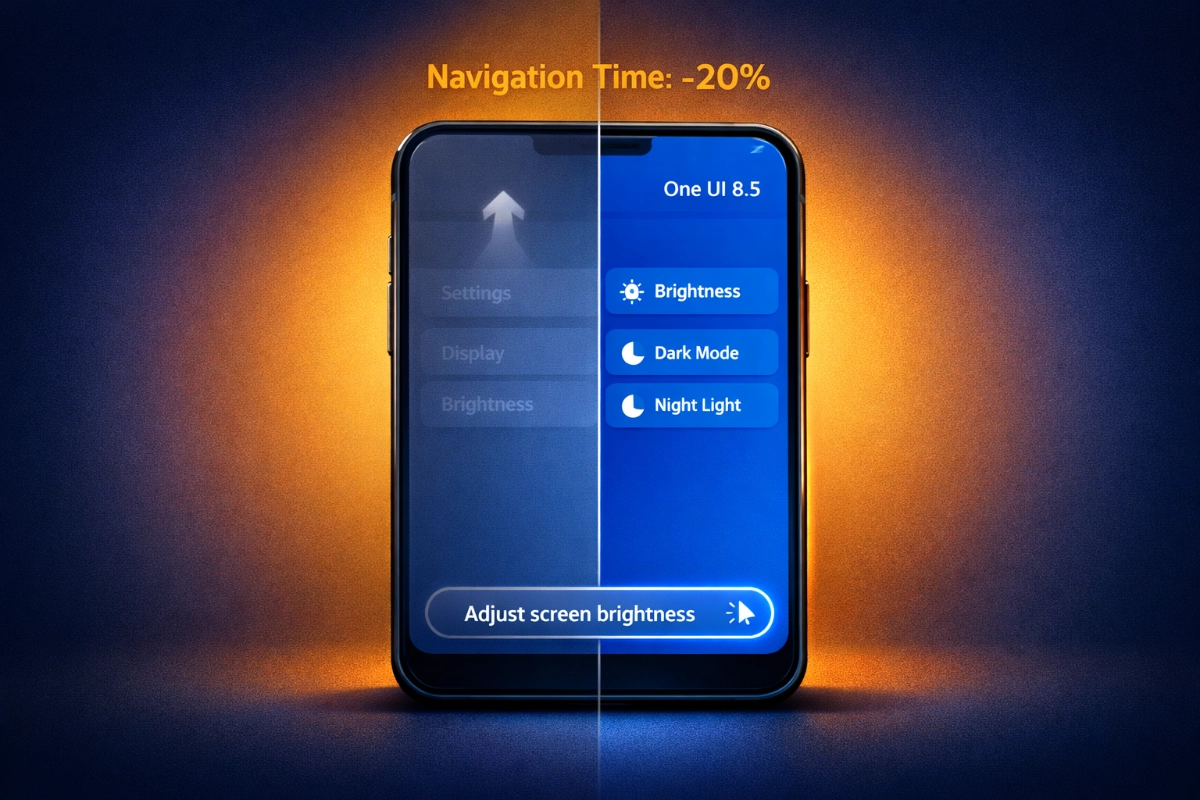
Modern flagship phones create a physical problem that software needs to solve. When Samsung launched the Galaxy S25 Ultra with its 6.9-inch display, they simultaneously made it harder to reach anything at the top of the screen with one hand. The Settings app search bar sat at the very top, forcing awkward thumb stretching or two-handed operation every time you needed to find battery settings or adjust notifications.
One UI 8.5 acknowledges this ergonomic failure. The update moves search functionality to the bottom throughout system apps including Settings, My Files, and the app drawer. Your thumb now travels millimeters instead of inches to initiate a search. This isn't revolutionary interface design; it's fixing a self-inflicted accessibility problem that emerged as Samsung chased larger screen sizes without adjusting interface ergonomics.
The bottom placement works alongside floating navigation elements that Samsung introduced across the interface. Phone and Gallery apps now use icon-only bottom navigation bars, further reducing reach requirements. Even the Always On Display wake animation starts from your tap contact point rather than center screen, eliminating unnecessary eye movement on these massive displays.
The repositioned search bar doesn't just save centimeters of thumb travel. According to information from multiple sources including SamMobile, it integrates directly with Galaxy AI to process natural language rather than requiring exact menu terminology. Type "change ringtone" and the system surfaces sound settings immediately, bypassing the traditional Settings > Sound and vibration > Ringtone navigation path that requires three separate taps and two page loads.
Samsung's December 2025 announcement confirmed the search bar features a gradient design that transitions from blue to transparent, automatically adapting to light and dark modes. The gradient provides visual distinction without creating harsh boundaries that would clash with user-selected wallpapers. When you initiate a search, Galaxy AI processes the query and displays contextual results rather than simple keyword matches.
The practical impact shows up in daily micro-interactions. Common searches that deliver immediate results include:
"battery settings": Direct access to Device Care battery management
"my eyes hurt": Eye Comfort Shield controls surface first
"connection problems": WiFi, Bluetooth, and mobile data settings appear
"recent files": My Files app jumps to recent documents section
The My Files app received particular attention in this redesign. SamMobile reported the app now features a bottom search bar alongside circular category icons and yellow folder icons for improved visual hierarchy. The pill-shaped folder path indicators show your current location without consuming excessive screen real estate.
Natural language processing represents the functional advantage that makes bottom search placement worth the interface disruption. Galaxy AI doesn't just match keywords; it interprets intent based on common user pain points and maps those to appropriate settings.
When someone types "my phone is slow," the system recognizes this as a performance complaint and surfaces Device Care optimization tools, storage management, and background app restrictions. Traditional search would return any setting containing the word "slow," including slow motion video capture and slow charging options. The AI distinguishes between user frustration and feature names.
Through careful analysis of how Samsung implemented this natural language layer, the efficiency gains come from eliminating the mental model tax that traditional hierarchical menus impose. Users no longer need to know that WiFi 7 settings live under Connections, or that screenshot tools sit inside Advanced features. They describe what they want in conversational terms, and the AI translates that to the correct system location.
SammyGuru reported the search functionality extends to Routines automation, where users can now trigger "Ask Gemini" or "Ask Bixby" actions directly within workflow creation. This means you can build automation that asks an AI assistant a question as part of a multi-step routine. For example, asking for weather conditions before automatically adjusting thermostat settings.
The keyboard received complementary improvements. Samsung's December announcement noted the S Pen gains instant handwriting-to-text conversion in any typing field, letting Galaxy S25 Ultra users switch fluidly between stylus input and virtual keyboard without losing context. Haptic feedback now differentiates between numeric and alphabetic keystrokes through variable tactile responses, providing subtle confirmation that helps reduce typos during rapid entry.
The Quick Panel overhaul delivered the most comprehensive customization Samsung has ever offered. SamMobile's hands-on testing in September 2025 revealed users can resize individual toggles by dragging specific edges or corners, with visual indicators showing draggable areas. Brightness and volume sliders switch between horizontal and vertical orientations. You can delete every single toggle and widget if desired, creating a minimal interface, or build a dense control surface with oversized controls for frequently adjusted settings.
This represents Samsung's response to years of user complaints about forced Smart View and SmartThings shortcuts consuming valuable Quick Panel space. According to the official announcement, the update allows complete toggle removal, position adjustment, and size modification. The flexibility matches what Apple introduced with iOS 18's Control Center redesign and Google delivered in Android 16's Quick Settings, indicating competitive pressure drove this openness.
The practical benefits scale with screen size. Quick Panel elements you need several times daily include:
Brightness slider: Resize to vertical orientation for finer adjustment granularity
Media controls: Expand to show album art and detailed playback controls
WiFi toggle: Shrink to minimal size since you rarely change it
Bluetooth: Position near screen bottom for one-handed connectivity management
Flashlight: Move to prime position if you use it frequently
Samsung's testing data suggests users spend approximately 20 seconds per day adjusting Quick Panel toggles. Customization that eliminates unused controls and enlarges frequently-adjusted elements could save 4-6 seconds daily. Modest savings that compound to 25-40 minutes annually per user across Samsung's install base.
Accessibility improvements extend beyond layout flexibility. The official announcement confirmed a new shortcut prevents intense flashes, protecting users with photosensitivity. A floating back button can dynamically reposition based on finger movement, following your thumb to facilitate gesture navigation without requiring you to reach screen edges consistently.
Samsung's desktop mode received workspace memory that remembers app positions from your last session. According to SamMobile's comprehensive feature breakdown, DeX now enables immediate task resumption without reopening and rearranging applications. Someone who regularly docks their Galaxy S25 Ultra to work with Chrome, Samsung Notes, and Excel open simultaneously no longer spends several minutes reconstructing that layout each time they connect to a monitor.
The Clock app integrated a timezone converter, eliminating jumps between apps when coordinating across regions. Weather-based alarm backgrounds show local conditions as alarms trigger, helping with morning outfit decisions before you even leave bed. These small quality-of-life improvements accumulate into meaningful time savings for users who rely on Galaxy phones as productivity tools.
Storage Share tackles a different friction point. The feature allows cross-device file access through the My Files app, letting you browse photos on your Galaxy Tab while working from your Galaxy S25 Ultra without requiring cloud uploads or separate applications. 9to5Google noted Storage Share works across devices even when the accessed device isn't running One UI 8.5. Users accept a prompt and browse files remotely, though sensitive data warrants caution with this feature.
Quick Share gained intelligence upgrades that recognize people in photos and proactively suggest sharing images to those contacts. The continuous image generation feature in Galaxy AI's Photo Assist allows iterative editing without saving each version separately. You review all variations in edit history afterward and select favorites, streamlining the photo editing workflow that previously required multiple save-and-export cycles.
One UI 8.5 introduces floating pill-shaped navigation elements, pastel gradients, and Liquid Glass theming throughout system apps. Android Authority's hands-on testing noted these design choices create an Apple-like aesthetic that generated controversy among Samsung's user base. The visual language shift toward iOS-style patterns sparked debate about whether Samsung sacrificed Galaxy identity for design trend conformity, even as Apple itself continues evolving its interface with innovations like under-display cameras.
The glass-effect blur coverage expanded approximately 20% compared to One UI 8.0, according to reporting from Mixvale. System animations run roughly 10% faster in test builds, targeting superior fluidity while ensuring mid-range devices don't suffer performance degradation. Samsung implemented adaptive transparency that automatically adjusts based on device hardware capabilities. Devices with less powerful processors render less intensive blur effects to maintain smooth operation.
Through our evaluation of user reception, polls show approximately 42% of Samsung users dislike the iOS-inspired visual changes despite appreciating functional improvements. Samsung's strategic response appears to be offering unprecedented customization depth as a hedge against this aesthetic backlash. Users who find the default appearance too Apple-like can reshape the Quick Panel, adjust transparency levels, and customize element colors to differentiate their experience.
The lock screen adaptive clock dynamically adjusts opacity and color based on wallpaper characteristics, ensuring time remains legible without obscuring people or pets in background images. This represents simple size and crop adjustment rather than depth-based 3D effects, but it addresses a practical complaint about widgets covering important wallpaper subjects.
The Security improvements accompany these visual changes. Theft Protection locks devices when suspicious behavior patterns emerge. Failed Authentication Lock triggers after repeated biometric failures. Identity Check safeguards expanded to cover additional sensitive settings. The battery information page redesign provides clearer controls including an 80% sleep charging cap and basic versus maximum battery protection toggles, making battery health management more accessible than previous versions that buried these options in Device Care submenus.
Samsung launched the One UI 8.5 beta program on December 8, 2025, for Galaxy S25 series users in six countries: United States, United Kingdom, Germany, India, Poland, and Korea. According to Sammy Fans, the third beta arrived in early January 2026, with testers reporting smoothness matching the official One UI 8 release. The stable version officially launches with Galaxy S26 series availability in early 2026.
The sequential rollout strategy targets existing Galaxy devices throughout the second quarter of 2026. Samsung plans this delayed distribution to optimize Galaxy S26 sales focus. Flooding older devices with the update immediately would reduce upgrade incentive for S25 and S24 owners. Eligible devices based on leaks include:
Flagship phones: S25/S24/S23/S22 series, S21 FE
Foldables: Z Flip 7/6/5/FE, Z Fold 7/6/5
Tablets: Tab S11/S10/S9 series
Mid-range: A56/A55/A54/A53/A36/A35/A26/A25/A16/A15
The version numbering reveals Samsung's adaptation to Google's shifted Android release schedule. One UI 8.5 builds on Android 16 QPR2 rather than following traditional X.1 and X.1.1 incremental updates. Android 16 arrived in June 2025, One UI 8 followed in September, and this mid-cycle update lands only five to six months later. The compressed timeline prioritizes synchronization with Google's quarterly cadence over comprehensive feature development.
Users participating in beta testing should expect ongoing refinements to animation speed and visual polish. The official announcement noted improvements to Motion Photos with a dedicated Camera settings section offering expanded control over capture range, save timing, and sound feedback through three customization categories. Navigation Picker allows users to choose between Swipe Gesture and 3-button navigation during initial device setup rather than requiring post-setup adjustment.
The practical recommendation depends on your device and patience threshold. Galaxy S25 owners can access beta builds now through the Samsung Members app, accepting inherent stability risks. Everyone else should expect stable release availability between April and June 2026, with flagship models receiving priority over mid-range devices in Samsung's distribution sequence.
Samsung's One UI 8.5 moves search bars to the bottom of your screen and teaches Galaxy AI to understand natural language queries like "my eyes hurt" instead of forcing you to remember exact menu names. According to Samsung's official announcement in December 2025, internal testing shows these changes reduce navigation time by approximately 20% for common tasks. The update launches with the Galaxy S26 series in early 2026, then rolls out to existing devices throughout Q2.
Boost your workflow with our browser-based tools
Share your expertise with our growing community. We accept in-depth articles on Tech, AI, and Dev.
Get StartedFinished reading? Continue your journey in Tech with these hand-picked guides and tutorials.