|
|
|
|
Insights and perspectives on technology, AI, software development, and industry trends from the TrueSolvers team.
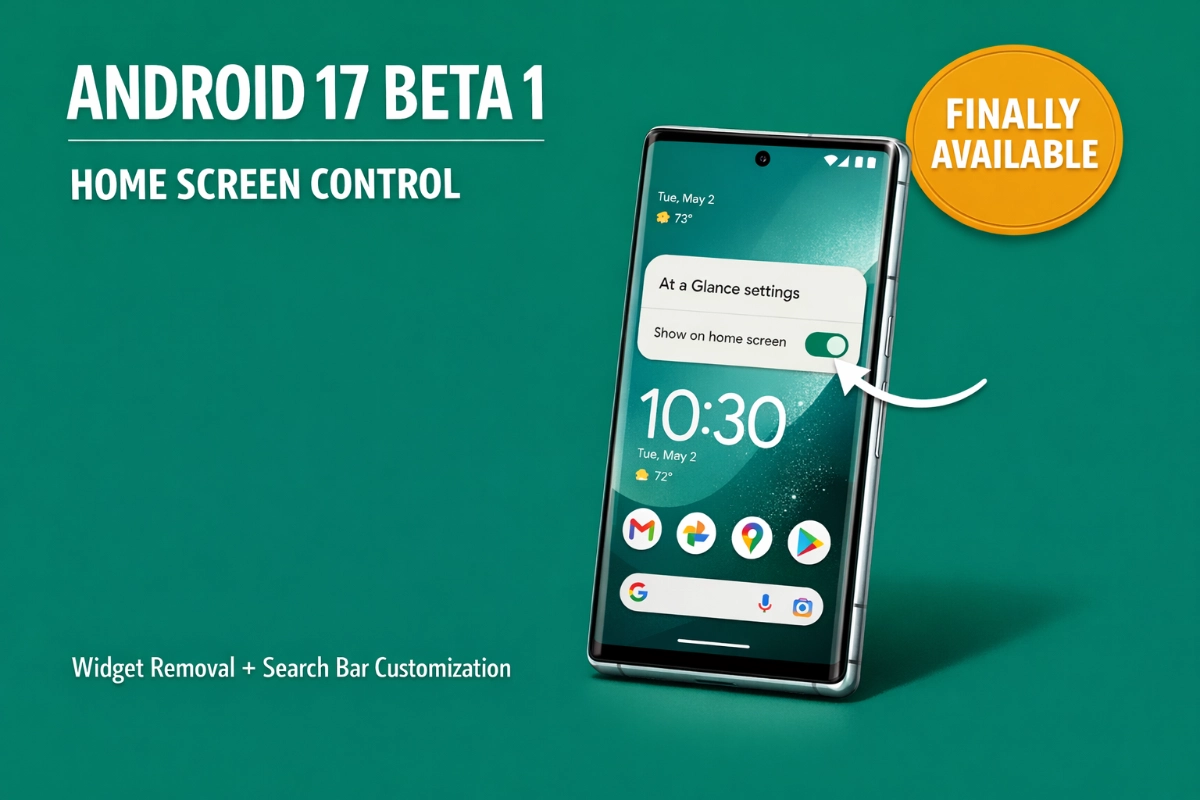
Pixel phones have always shipped with two permanent home screen fixtures. The At a Glance widget sat in the top-left corner of your first screen, displaying weather, calendar events, commute times, and flight details. The Google search bar occupied the bottom edge, offering voice search and lens access but no customization options.
Both elements provided useful information. At a Glance works particularly well on the lock screen, where you can see upcoming appointments without unlocking your device. The search bar offers quick access to Google's tools. The frustration stemmed from placement rigidity, not feature quality.
You couldn't move these elements. You couldn't resize them. You couldn't remove them. Other Android manufacturers like OnePlus and Samsung had already given users these controls in their custom interfaces, but stock Android on Pixel devices maintained strict limitations. This created a paradox where Pixel Launcher, designed to showcase Android's flexibility, actually restricted customization compared to third-party skins.
Android 17 Beta 1 breaks this pattern. You can now hide the At a Glance widget from your home screen while keeping it active on your lock screen.
The removal process takes three steps:
Long-press the At a Glance widget on your home screen
Tap the Settings option that appears
Toggle off "Show on home screen"
According to Android Authority, this feature appeared in limited testing during Android 16 QPR3 Beta 1 but now reaches all Beta 1 users. The widget disappears from your home screen immediately, freeing one full row of space for apps or other widgets.
Your lock screen behavior stays unchanged. At a Glance continues showing contextual information when you wake your device, maintaining the utility that made the feature valuable in the first place. This separation makes practical sense. Lock screen glances serve a different purpose than home screen real estate, and treating them independently respects both use cases.
Based on our extensive research of this feature's development timeline, Google tested At a Glance removal capabilities as early as Android 14 QPR2 in 2023. The three-year gap between initial testing and broad availability suggests Google carefully weighed user agency against design consistency before making this change permanent.
The search bar underwent more dramatic changes. Developer Kieron Quinn confirmed on Bluesky that the Pixel Launcher search bar is now actually the Google Search widget itself, not just visually similar to it. This technical shift unlocks customization options that previously existed only for the standalone widget you could manually place elsewhere on your screens.
Long-press the search bar and tap "Widget settings" to access controls for:
Theme options:
System (applies Material You colors)
Light
Dark
Custom (full color picker for personalized appearance)
Visual adjustments:
Transparency slider
Border styling changes
Shortcut replacements: The default AI Mode shortcut can swap for alternatives including Gemini Live, Translate (text or camera), Song Search, Weather, Sports, Finance, News, Dictionary, or Saved items. According to Android Police, the system offers up to 11 different shortcut options, though you can't assign fully custom app shortcuts.
Voice search and Google Lens buttons remain fixed. You can't replace these with other tools or remove them entirely, but the shortcut customization provides meaningful flexibility for your most frequent search actions.
The visual design also regressed slightly from Android 16's thick Material You borders to a slimmer, more transparent pill shape. According to 9to5Google, this matches the Google Search app widget aesthetic from Android 15. Some users running Beta 1 report that transparency and color settings work inconsistently across devices, suggesting incomplete rollout or device-specific behavior that Google may address in later beta versions.
These customization additions don't represent technological breakthroughs. The code enabling widget removal and search bar theming existed in various forms for years. Google's standard search widget already offered these customization options. The barrier was never technical capability but rather philosophical reluctance to disturb the default Pixel experience.
Based on our systematic review of Google's evolving approach to user control, the Android 17 changes mark a shift from prescriptive design to optional flexibility. For nearly a decade, Pixel Launcher embodied Google's vision of the ideal Android interface. Users could install third-party launchers for customization, but stock Pixel phones came configured how Google believed they should look and function.
The antitrust context matters here too. Quinn's revelation that alternative search providers like DuckDuckGo, Firefox, and Chrome can technically replace the Google search bar suggests regulatory pressure influenced these changes. The European Union and other jurisdictions have pushed tech platforms to allow user choice in default services, from browsers to app stores. Opening the Pixel Launcher's search implementation to alternative providers aligns with these requirements, even if most users stick with Google.
Google tested the search bar customization alongside At a Glance removal through multiple beta cycles before broad release. According to Android Central, some users accessed these features in Android 16 QPR3 betas, while others saw them for the first time in Android 17 Beta 1. This staged approach mirrors how Google typically rolls out interface changes, gathering feedback and monitoring adoption patterns before committing to new defaults.
The underlying message is clear. Google still maintains opinions about optimal Pixel configuration, but those opinions no longer override user preferences. You can keep the stock layout if it works for you, or reconfigure your home screen to match your priorities.
Google targets Android 17's stable release for Q2 2026, likely around June based on the announced timeline. The beta program runs through that period with Platform Stability scheduled for March 2026, when SDK and NDK APIs will be largely finalized according to Google's official developer blog.
Beta 1 supports these devices:
Pixel 6, 6 Pro, 6a
Pixel 7, 7 Pro, 7a
Pixel 8, 8 Pro, 8a
Pixel 9 series (all models)
Pixel 10 series (all models)
Pixel Tablet
Pixel Fold
Pixel 9 Pro Fold
Enrollment happens through the Android Beta for Pixel program website. Sign in with your Google Account, register your device, then check for the over-the-air update in Settings > System > System update. The build number is CP21.260116.011.B1, with security patch level dated January 5, 2026 according to Notebookcheck.
Beta software carries operational risks. Google warns that you may encounter bugs, crashes, or performance issues. Downgrading typically requires wiping local data, so back up anything important before installing. Consider using a secondary device for beta testing if you rely on your primary phone for critical tasks.
Beta 1 focuses heavily on home screen refinements, but Google's roadmap includes additional features for later releases. A split notification and Quick Settings panel design separates these functions into distinct left-swipe and right-swipe areas, though users can revert to the traditional combined view. Universal Clipboard aims to sync copied content across your devices, while Handoff features should allow seamless app state transfers between phones, tablets, and other Android hardware.
App Lock will enable biometric protection for individual applications beyond the system-level security already available. Enhanced screen recording tools, lock screen widgets for phones, and scoped contacts permissions all appear in development according to leaked builds and early testing reports.
Under the hood, Android 17 brings generational garbage collection to the ART runtime, reducing CPU cost for memory management operations. Apps targeting SDK 37 on large-screen devices must support proper resizing and orientation changes without opt-outs, pushing developers to improve tablet and foldable experiences. Dynamic camera sessions enable smoother transitions between photo and video modes. Versatile Video Coding support adds modern H.266 compression to compatible hardware.
The beta also shifts Google's development model. The company replaced its traditional Developer Preview structure with a continuous Canary channel, delivering features as soon as they pass internal testing rather than waiting for quarterly releases. This accelerates access for developers and users while potentially improving stability through earlier battle-testing.
Minor interface updates accompany the major customization changes. The volume panel now displays a slider icon instead of three dots for clearer settings access. The brightness icon in Quick Settings features rounded edges matching Material You design language. These small refinements demonstrate Google's ongoing attention to visual polish across the system.
Android 17 Beta 1 won't revolutionize your Pixel experience. It removes constraints that shouldn't have existed in the first place. For users who've lived with immovable widgets and rigid search bars since purchasing their first Pixel, these changes represent overdue acknowledgment that your home screen belongs to you, not Google's design team.
Google released Android 17 Beta 1 on February 13, 2026, delivering two home screen customization features that Pixel users have requested for years. You can now remove the At a Glance widget from your home screen and fully customize the search bar with theme options, transparency controls, and interchangeable shortcuts. These changes don't introduce revolutionary functionality, but they give you control over elements that have been locked down since the Pixel 2 era.
Boost your workflow with our browser-based tools
Share your expertise with our growing community. We accept in-depth articles on Tech, AI, and Dev.
Get StartedFinished reading? Continue your journey in Tech with these hand-picked guides and tutorials.