|
|
|
|
Insights and perspectives on technology, AI, software development, and industry trends from the TrueSolvers team.
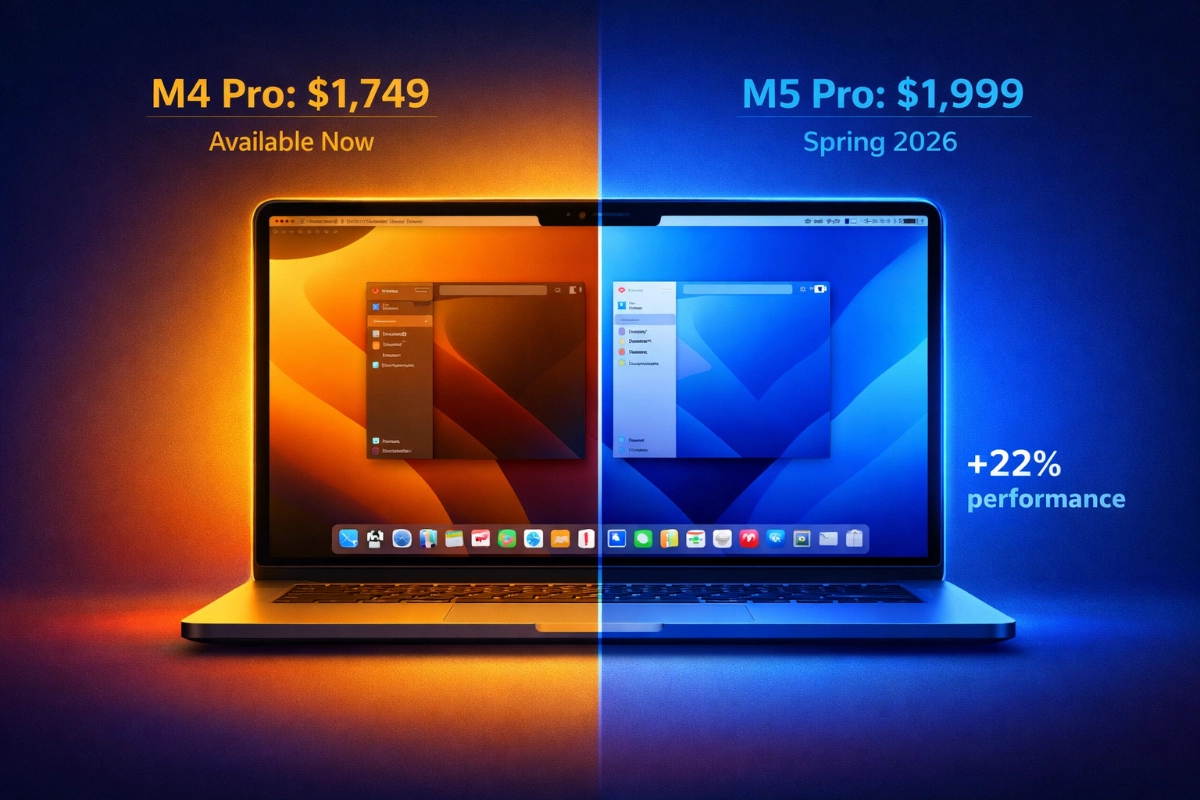
The base M5 chip established clear performance patterns that project forward to the Pro and Max variants. According to Macworld, the standard M5 achieved 14% single-core improvement and 22% multi-core gains over M4, with graphics performance jumping 35%. These aren't minor tweaks. The M5 posted a Geekbench 6 single-core score of 4,263, which MacRumors notes represents the highest single-core result ever recorded in the benchmark database at that time.
When you apply the M4-to-M4 Pro/Max pattern onto the base M5's improvements, the projections become compelling. The M4 Pro delivered around 22,000 in multi-core testing, while M4 Max reached approximately 26,675. Macworld predicts the M5 Max could exceed 31,000 in multi-core performance, putting it in the same territory as 64-core AMD Threadripper desktop processors. That's a professional workstation-class CPU in a laptop form factor.
Single-core performance matters for responsiveness in everyday tasks. The M5 Max could hit around 4,500 in single-core tests, extending the lead Apple already established with the base M5. For workflows that rely heavily on single-threaded performance like certain audio production tasks or legacy software, this gap matters.
GPU improvements look even more dramatic. The base M5's Metal score reached 76,727 compared to M4's 56,989, according to MacRumors. That 35% jump suggests the M5 Max with its 40 GPU cores could break 250,000 on Geekbench 6's GPU compute test. Even the M3 Ultra with 80 GPU cores fell just short of that mark.
Macworld's Steel Nomad graphics benchmark predictions place the M5 Pro above 2,300 points, comparable to a GeForce RTX 4050 laptop GPU. The M5 Max could exceed 4,600, matching an RTX 4070's performance. For 3D rendering, game development, or AI workloads that hammer the GPU, these aren't incremental gains.
The base M5 increased memory bandwidth from 120GB/s to 153GB/s, a 27.5% improvement that helps feed those faster cores with data. The M5 Pro and Max will scale this further, with the Max likely maintaining its substantial bandwidth advantage over the Pro. This matters most when you're processing large video files, manipulating high-resolution images, or running multiple demanding applications simultaneously.
A new packaging technology called SoIC-mH separates the CPU and GPU onto different silicon pieces on the same substrate. Macworld reports this could enable more flexible configurations, potentially allowing custom mixes of CPU and GPU core counts. Whether Apple offers this flexibility to consumers remains uncertain, but the thermal management improvements should help these chips sustain peak performance longer.
Apple typically maintains consistent pricing across chip generations. MacRumors expects the 14-inch M5 Pro to start at $1,999 and the 16-inch at $2,499, matching current M4 Pro pricing. M5 Max configurations would begin at $3,199 for 14-inch and $3,499 for 16-inch models.
But retail pricing tells a different story right now. You can find M4 Pro configurations as low as $1,749, representing $250 savings from Apple's list price. That discount narrows the performance-per-dollar gap considerably. You're getting 90% of the performance for potentially 75% of the cost if you shop carefully.
The discount window won't last forever. Once M5 Pro and Max launch, retailers will clear remaining M4 inventory, but those deals will evaporate within weeks. If you're budget-conscious and your workflow doesn't absolutely require maximum GPU performance, the current M4 pricing creates a compelling value argument that pure benchmark numbers don't capture.
Synthetic benchmarks tell part of the story. How these chips perform in actual work reveals which performance gaps translate to time savings and which remain theoretical.
According to Medium's testing, the M4 Max exported a 15-minute 4K ProRes video in 3 minutes 53 seconds, while the M4 Pro needed 6 minutes 45 seconds. That's a 2 minute 52 second difference, but consider the context. For a video editor working on multiple projects daily, those minutes add up. Over a week with ten projects, you're saving nearly 30 minutes.
However, rendering during editing showed a different pattern. The M4 Max finished rendering in 107 seconds versus the M4 Pro's 115 seconds. That 8-second gap won't change your workday. For standard 4K editing with moderate color grading, the M4 Pro delivers sufficient performance for smooth playback and reasonable export times.
HandBrake transcoding showed clearer separation. The M4 Max converted a 6.5GB 4K video to 1080p in 2 minutes flat, while the M4 Pro took 2 minutes 48 seconds. Transcoding multiple files compounds these differences, making the Max more appealing for production houses handling batch processing.
GPU-intensive tasks expose the largest gaps. Cult of Mac reports the M4 Max's 40-core GPU scored 192,532 in Metal testing, delivering 1.7 times the M4 Pro's performance. In actual 3D work, this translates directly to render times. What takes the M4 Max one hour might require nearly two on the M4 Pro.
Gaming performance follows similar patterns. Medium's testing showed Shadow of the Tomb Raider running at 140 fps on M4 Max versus 81 fps on M4 Pro. If you're using your MacBook Pro for game development or testing, the Max's GPU headroom matters significantly.
Photo editing shows minimal practical difference. Exporting 100 RAW images in Lightroom Classic took 1 minute on the M4 Max and 1 minute 5 seconds on the M4 Pro, according to Medium. That 5-second gap disappears in real-world usage. Both chips handle batch processing, layer-heavy Photoshop files, and panorama stitching without breaking stride.
Logic Pro track capacity reveals where the Max pulls ahead for audio work. The M4 Max handled 344 tracks while the M4 Pro managed 286, with the base M4 limited to 144. For orchestral composers or producers working with sample libraries, those extra tracks provide real creative headroom.
Through our review of cross-workflow testing data, the M4 Pro delivers 90% of M4 Max performance for tasks that don't continuously hammer the GPU. Video editors working in standard codecs, photographers, and most creative professionals fall into this category. The 20% price premium for the Max only pays off when your daily workflow involves 3D rendering, game development, heavy AI processing, or extreme multi-tasking with numerous demanding applications.
Here's where the decision gets messier. MacRumors reports that Apple plans a major MacBook Pro redesign for late 2026, possibly extending into 2027. This isn't a chip upgrade. It's the first significant chassis refresh since 2021.
The redesign includes OLED displays with touch capability, replacing the current notch with a Dynamic Island, thinner overall dimensions, and built-in 5G cellular connectivity. The M6 chips will use TSMC's 2-nanometer process instead of the M5's 3-nanometer manufacturing, potentially delivering another substantial performance leap.
Bloomberg's Mark Gurman expects M5 Pro and Max models to launch in the first half of 2026, potentially coinciding with Apple Creator Studio's arrival, with macOS 26.3 arriving in the first half of February. If the M5 Pro launches in March and the M6 redesign arrives in November, you're looking at an eight-month window where the M5 Pro represents the latest generation. That's unusually short for a MacBook Pro cycle.
There's precedent for rapid updates. In 2023, Apple released M2 Pro and Max models in January, then launched M3 Pro and Max in October of the same year. The company can move quickly when architectures align.
Upon thorough examination of Apple's historical update patterns, buying the M5 Pro in spring 2026 means accepting that a more significant upgrade arrives before the end of the year. If you typically keep laptops for three to four years, you'd be buying into the oldest chassis design right before a major refresh. That's not necessarily wrong, but it should factor into your decision alongside pure performance considerations.
The case for waiting depends on specific workflow demands and timing flexibility. These scenarios justify the wait:
You need maximum GPU performance for daily work. 3D artists, game developers, and AI researchers who push GPU limits will benefit from the M5 Max's projected 250,000+ Metal score. The gap between M4 Max and M5 Max in GPU-intensive tasks could save hours weekly in render times. If your work bills by the hour or operates under tight deadlines, performance directly converts to revenue.
You're coming from M1 or earlier hardware. According to Macworld, the M5 offers 84% single-core improvement and 118% multi-core gains over M1. The jump from M1 Pro or Max to M5 Pro or Max will feel transformative across every workflow. Export times cut in half, real-time effects that previously stuttered running smoothly, and thermal performance that stays quieter under load. If you're still on Intel MacBooks, the leap is even more dramatic.
You can wait until summer without workflow disruption. If your current machine handles your workload adequately and you're planning rather than reacting to hardware failure, waiting two to three months for M5 Pro availability makes sense. The performance gains are real, and if the timing doesn't create immediate problems, you'll benefit from the latest generation.
Your budget targets the $3,000+ range regardless. If you're committed to buying a Max-tier configuration whether it's M4 or M5, waiting gets you measurably more performance for the same price. The 16% multi-core improvement and potentially 40% GPU gains justify a few months' patience when you're already investing at that level.
Current availability and pricing create compelling reasons to buy M4 hardware despite imminent M5 launches:
You need a machine immediately for project work. Deadlines don't wait for chip releases. If you're facing a three-month project that starts next week, the M4 Pro delivers professional-grade performance today. According to Cult of Mac, the M4 Pro already outperforms the previous-generation M2 Ultra in multi-core CPU tests despite the Ultra's higher core count. You're buying genuinely powerful hardware, not settling for outdated technology.
Your workflow doesn't stress the GPU consistently. Video editors working primarily in 4K ProRes, photographers processing RAW files, and developers compiling code won't see dramatic real-world improvements from M5's GPU gains. The 8-second rendering difference and 5-second export gap that Medium documented between M4 Pro and M4 Max suggest the M5 Pro won't revolutionize these workflows either. If single-core performance and adequate multi-core power matter more than GPU muscle, M4 Pro delivers.
Current discounts make M4 Pro pricing exceptional. Finding M4 Pro configurations at $1,749 versus anticipated M5 Pro pricing at $1,999 represents $250 in immediate savings. That's a 12.5% discount for hardware that's only one generation behind and still crushes most workflows. For budget-conscious buyers or those equipping multiple team members, this price gap matters significantly.
You're planning to upgrade again when M6 redesigns arrive. If you follow a two-year upgrade cycle and want the OLED display, thinner chassis, and 2-nanometer M6 chip in late 2026, buying M4 hardware now gives you a solid machine for 18 months before trading up. You'd skip the M5 generation entirely, avoid paying full price for the shortest-lived Pro model in recent history, and land on the redesigned hardware when it stabilizes after initial release.
Battery efficiency and thermal management matter more than peak performance. According to Geeky Gadgets, the M4 Pro retained 54% battery after full-day mixed use compared to the M4 Max's 41%. The Pro also runs quieter during intensive work due to better thermal headroom relative to power consumption. If you're working in noise-sensitive environments or need all-day untethered operation, the M4 Pro's efficiency characteristics might matter more than the M5 Max's raw performance.
Apple's M5 Pro and M5 Max chips are arriving soon, but the decision to wait isn't as simple as comparing benchmark numbers. Current M4 Pro and M4 Max models are available with significant discounts, while a major MacBook Pro redesign looms just months after the M5 launch. The right choice depends on your specific workflow demands, budget flexibility, and tolerance for missing the next big hardware update. Here's how to decide whether waiting delivers enough value to justify the delay.
Boost your workflow with our browser-based tools
Share your expertise with our growing community. We accept in-depth articles on Tech, AI, and Dev.
Get StartedFinished reading? Continue your journey in Tech with these hand-picked guides and tutorials.