Finished reading? Continue your journey in Tech with these hand-picked guides and tutorials.
Boost your workflow with our browser-based tools
Share your expertise with our readers. TrueSolvers accepts in-depth, independently researched articles on technology, AI, and software development from qualified contributors.
TrueSolvers is an independent technology publisher with a professional editorial team. Every article is independently researched, sourced from primary documentation, and cross-checked before publication.
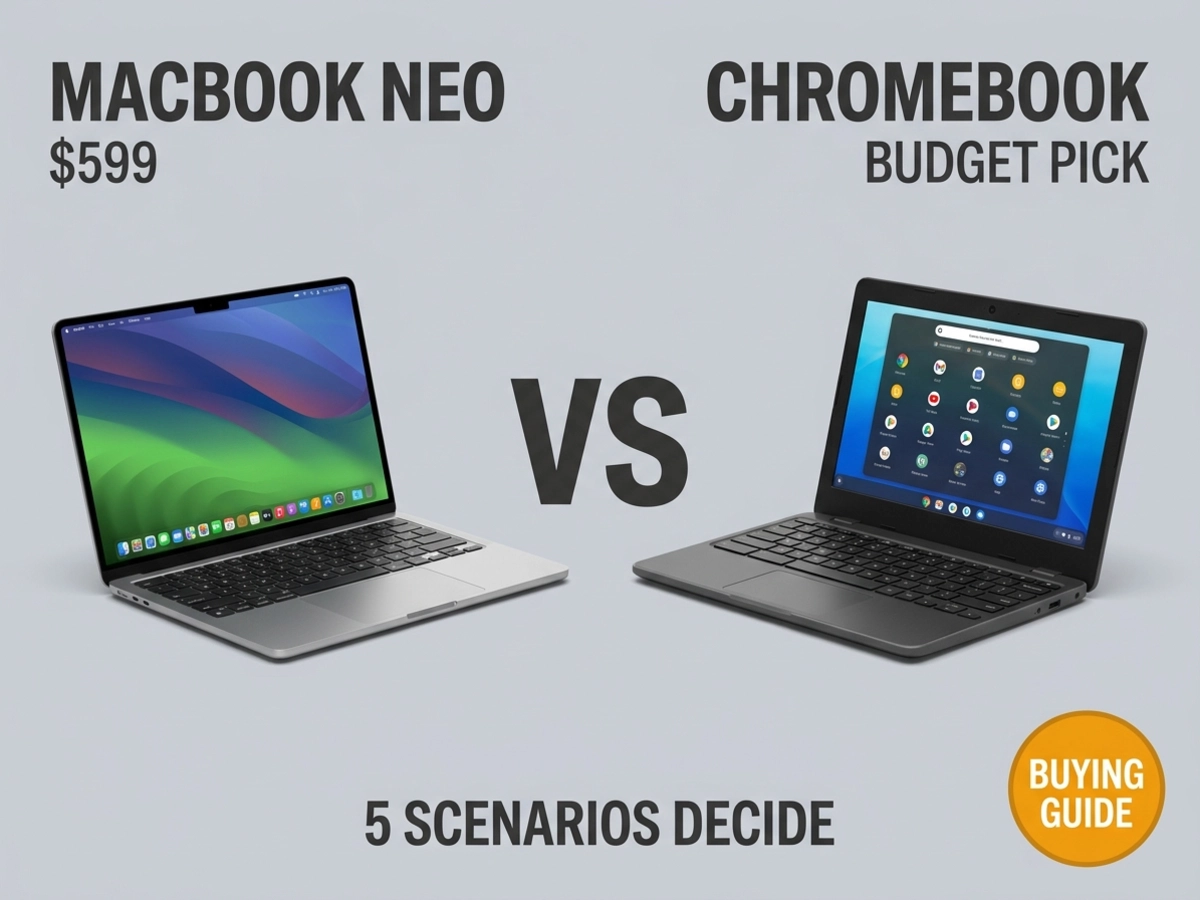
The MacBook Neo disrupted the budget laptop market the moment it launched at $599. But whether it's the right device for you depends less on benchmark scores than on five specific situations: budget floor, hardware needs, software workflows, platform stability, and whether you're buying for yourself or a fleet.
Apple announced the MacBook Neo on March 4, 2026, and the tech press responded with a wave of obituaries for the Chromebook. The price — $599 at retail, $499 for students — put a 13-inch Liquid Retina display, an A18 Pro chip, 8GB of unified memory, and a claimed 16 hours of battery life into a 2.7-pound aluminum chassis that had previously been impossible to buy for under $1,099. The disruption to the budget laptop market is real.
The question that matters isn't whether the MacBook Neo is impressive. It clearly is. The question is whether it's impressive for your situation, because the device that makes the most sense for a student who writes essays and checks email is genuinely different from the one that makes sense for a creative professional, a classroom teacher managing school-issued hardware, or someone who has spent three years building their Android ecosystem.
Our reading of the combined evidence points toward a more nuanced conclusion: the right answer depends almost entirely on which of five distinct scenarios describes your situation. The five are price floor, hardware feature needs, software and workflow requirements, platform stability risk, and institutional versus individual purchasing context. Work through each one, and the decision becomes straightforward.
To hit $599, Apple made deliberate trade-offs. The MacBook Neo ships without MagSafe charging, without a Force Touch trackpad, and without Touch ID on the base model. Those are real compromises. None of them defines the purchase decision quite as sharply as the keyboard situation and the port situation.
Cult of Mac documented that the MacBook Neo is the first Apple laptop in more than 15 years to ship without a backlit keyboard. The color-matched white key caps give some visibility in dim rooms, but they are not a substitute for backlighting. For anyone who types frequently in low-light environments — evening students, late-night writers, conference-goers in darkened rooms — this is a daily friction point, not an edge case.
Apple's own footnote 5 in the MacBook Neo press release specifies that external display connectivity is supported on the left USB-C port only, a detail that Apple's newsroom confirms is a direct consequence of the A18 Pro's port architecture.
Apple's spec sheet notes five words that deserve more attention than they've received: the left USB-C port supports USB 3 speeds of up to 10Gb/s, while the right tops out at USB 2 speeds of 480Mb/s, roughly 20 times slower, and cannot drive an external display at all. MacRumors confirmed that the ports are visually identical, and that macOS will alert you if you plug a monitor into the wrong one. The maximum supported external display is a single screen at 4K resolution and 60Hz.
The A18 Pro was designed to power an iPhone, a device with a single USB-C port. Apple built the MacBook Neo around that chip and jury-rigged a second port, but the architecture couldn't be made fully equivalent. The result is that a user who simultaneously needs an external display on the left port and fast external storage for video projects is left with only the right port running at USB 2 speeds, which is insufficient for high-throughput storage. This isn't a trade-off Apple can fix with a software update. It is the chip.
That constraint matters more in context of what comparable Chromebooks offer. Engadget's hands-on roundup named the Acer Chromebook Plus 514, at $350, as its top overall pick: a device with an Intel Core 3 processor, 512GB of SSD storage, USB-A ports, and an HDMI port as standard inclusions. The Lenovo Chromebook Plus 14 adds an OLED touchscreen and 16GB of RAM. These hardware features, backlit keyboard, HDMI, USB-A, touchscreen, are genuinely unavailable on the MacBook Neo at any price tier.
Someone who presents from their laptop using a classroom HDMI projector, regularly receives USB-A thumb drives from colleagues or professors, or wants to annotate documents with a stylus is not choosing the Chromebook because they can't afford the Neo. They are choosing it because the Neo doesn't offer what they need.
The MacBook Neo runs macOS Tahoe, the same operating system installed on a $4,000 MacBook Pro. That means Photoshop, DaVinci Resolve, Final Cut Pro, Xcode, Microsoft Office's native applications, and every other macOS-compatible program all run on the Neo. Performance will vary with the 8GB RAM ceiling, but compatibility is complete.
ChromeOS operates on a different philosophy. It was built for browsers and cloud-first workflows, with Android app support added later. Google Docs, Gmail, YouTube, Google Meet, and Sheets all run smoothly and, for many users, they represent the entirety of their daily computing. The experience in those apps is polished. PCWorld, testing Chromebooks against other platforms, found that Chrome runs most efficiently on Chromebooks because Google builds its browser optimizations directly into ChromeOS, which is a genuine advantage for users whose workday lives inside that browser.
The gap appears in the categories ChromeOS can't reach. Video editing on a Chromebook means relying on web apps like Kapwing or Android apps like LumaFusion, capable tools for basic cuts, but nothing approaching the native performance of DaVinci Resolve on macOS. Excel with macros, specialized engineering or scientific software, and professional audio production tools like Logic Pro have no ChromeOS equivalent. For a deeper look at how each operating system's strengths come with permanent trade-offs, this guide to what OS comparisons typically hide examines macOS, ChromeOS, Windows, and Linux through exactly that lens. Offline work also requires advance preparation: Chromebook users must manually enable offline mode for Google Docs and pre-download files before leaving a reliable connection, while the Mac operates locally by default.
Apple claims the MacBook Neo delivers 50% faster everyday task performance than the bestselling PC with an Intel Core Ultra 5 processor, 3x faster on-device AI workloads, and 2x faster performance for photo editing tasks, all benchmarked by Apple using its own testing methodology disclosed in the newsroom footnotes.
The Neo's battery outperforms most Intel-based Chromebooks by four to six hours in everyday mixed-use scenarios. ARM-based Chromebooks capable of matching the Neo on battery exist, but they start around $469, narrowing the price gap considerably.
We cannot independently verify every compatibility scenario across every ChromeOS app and web platform, but Chromebooks handle the routine tasks most users perform 95% of the time without friction. The remaining 5% creates real problems for specific workflows. If your work sits entirely in the browser and Google's apps, ChromeOS is not a compromise. If any part of your workflow requires native desktop software, the Neo eliminates those friction points entirely.
Google is in the middle of the most significant architectural shift in ChromeOS's history. The project, internally codenamed Aluminium OS, merges ChromeOS and Android into a single unified platform built on Android's foundation. Google's president of the Android Ecosystem, Sameer Samat, confirmed at MWC 2026 that Aluminium OS is still targeting a 2026 debut, describing the planned launch as something he's "super excited about."
The picture is more complicated than that confirmation suggests. BGR, reporting on court documents from Google's antitrust case, found that enterprise and education rollout is planned for 2028, not 2026, and that Google's "fastest path" to any release would be test versions distributed to select trusted commercial users by the end of this year. The same court documents revealed that not all current Chromebooks will migrate to Aluminium OS, as hardware differences make some devices incompatible.
ChromeOS development is not ending. Google has committed to software updates for existing Chromebooks through at least 2034 to honor its 10-year update policy. The company also intends to maintain ChromeOS specifically for education, enterprise, and browser-first deployments even as Aluminium OS targets consumer laptops. The practical picture may be Google running two parallel operating system tracks rather than executing a clean replacement.
Aluminium OS device eligibility lists have not been officially published; the 2028 enterprise rollout timeline is drawn from court document reporting covered by BGR, not from any official Google announcement we can directly link.
The timing of this Aluminium OS transition creates a purchasing consideration that almost no comparison article has named: someone buying a Chromebook today may be buying a device whose fundamental software experience will shift significantly before that device's support window closes. A buyer getting a Chromebook Plus in 2026 could end up on ChromeOS through most of its useful life, could get an Aluminium OS upgrade, or could sit on ChromeOS indefinitely while newer devices move to the new platform. The timeline is uncertain, and the eligibility criteria are unconfirmed. MacBook Neo buyers face none of that ambiguity. macOS Tahoe has a known support trajectory, Apple Intelligence features are built on a stable foundation, and the upgrade path is predictable. For buyers who value platform stability over the next four to five years, this asymmetry could mean more than any benchmark comparison.
A single number changes the entire conversation when the buyer is a school district rather than an individual: a $250 per-unit gap across a 5,000-device fleet is $1.25 million, and that arithmetic is why Chromebooks hold 93% of American K-12 school installations, not because educators haven't heard of the MacBook Neo, but because the institution-level math runs on entirely different terms.
School districts don't buy one laptop at a time and weigh which device makes a student's day more productive. They buy thousands, configure them centrally, manage them remotely, and repair them in-house or through approved service channels. Google's Admin Console lets IT teams manage a district's entire Chromebook fleet from a single web interface, enforcing policies, installing apps, applying updates, and monitoring device status across thousands of units without a technician touching each device locally. That centralized management infrastructure is the real reason Chromebooks own the K-12 market, and the MacBook Neo doesn't offer a comparable system for similar scale.
Repair costs reinforce the institutional Chromebook case. Entry-level Chromebooks are designed with replaceable components, spill-resistant keyboards, and reinforced chassis specifically because schools know devices will be dropped, soaked, and broken. iFixit rated the MacBook Neo 6 out of 10 for repairability, the best score Apple has received in 14 years and a genuine improvement. But the MacBook Air still costs $449 for a screen repair through Apple. A Neo screen replacement would almost certainly not fall below $200.
Apple has not published repair pricing for the MacBook Neo, which means complete total cost of ownership comparisons at the institutional level remain incomplete: a gap that matters for procurement officers more than for individual buyers.
There is a credible counter-argument worth acknowledging. Starry Hope's procurement analysis modeled a 3-year MacBook Neo deployment, including AppleCare, at roughly $130 per student per year, which one district IT professional cited as competitive with Windows fleet costs. MacBooks also hold their resale value better than Chromebooks, which could offset upfront costs over time. But those projections are built on MacBook Air resale history, not Neo history, because the Neo has been available for less than two months. Institutions making purchasing decisions based on projected resale values for a brand-new product category are taking on uncertainty that the Chromebook's 15-year institutional track record doesn't require.
For districts already running Google Workspace for Education, teachers and students already work in the same apps and share documents through the same infrastructure. Adding MacBook Neos to that ecosystem introduces a mixed-device management challenge that pure Chromebook fleets avoid entirely. The Neo is a compelling individual laptop. It is not, yet, a compelling institutional procurement proposition.
The five scenarios have different answers. Here is where each one lands.
Buy the Chromebook. At this tier, the MacBook Neo doesn't exist — it starts at $599. A $250–$350 Chromebook Plus handles Google Docs, YouTube, email, and web browsing without compromise. The Acer Chromebook Plus 514 at $350 includes 512GB of storage, USB-A, and HDMI as standard features. The Neo's advantages are real, but they aren't available at this price.
Buy the Chromebook. These are hardware features the MacBook Neo does not offer at any price. If your classroom has HDMI projectors, your professors distribute USB-A drives, or you want to annotate documents with a stylus, mid-range Chromebook Plus models at $350–$500 provide capabilities the Neo structurally cannot. This scenario is not about budget. It is about the hardware the Neo is missing.
Buy the MacBook Neo. A student in film, engineering, music production, design, or computer science will eventually hit a wall on ChromeOS: software that doesn't exist in a web version, Excel macros that won't run, CAD tools the browser can't handle. The Neo runs full macOS, which means DaVinci Resolve, Xcode, Logic Pro, and the full Adobe suite are all accessible. At $499 for students, this is the most significant price drop Apple has ever offered for access to the complete macOS software library.
The Neo's battery outperforms most Intel-based Chromebooks by four to six hours in everyday mixed use. ARM-based Chromebooks that reach comparable battery life cost $469 or more, putting them within $130 of the Neo's education price while offering ChromeOS rather than macOS. The A18 Pro's single-core performance also runs roughly 3.3 times that of the Intel N100 chips powering most mid-range Chromebooks, based on Geekbench 6 results.
The Neo probably wins on total cost, with important caveats. MacBooks have historically retained 40–50% of their original value after three years, while Chromebooks typically sell for under $100 regardless of original purchase price. A $599 Mac retaining even 40% of its value after three years recovers $240, a meaningful offset against the price gap with a Chromebook Plus.
The resale trajectory of the MacBook Neo is projected from MacBook Air precedent. No actual Neo resale history exists yet, which means the TCO argument for individual buyers is plausible but not yet proven. Treat the resale advantage as a reasonable expectation, not a guarantee.
Buy the MacBook Neo. The iPhone-to-Mac continuity features, AirDrop, Handoff, iPhone Mirroring, Universal Clipboard, and seamless iMessage access, are genuinely useful for someone already in the Apple ecosystem. ChromeOS has no equivalent integration. This isn't a theoretical advantage; it changes how the device fits into a day.
If you use an Android phone and live in Google's apps, the calculus runs the other direction. ChromeOS and Android share an ecosystem, cross-device features are improving with each Android release, and Google's Workspace tools are native to the platform rather than accessed through a browser on a Mac.
Yes, fully. The MacBook Neo runs macOS Tahoe with Safari and Chrome both available. Google Docs, Gmail, Sheets, Meet, and YouTube all run in the browser exactly as they do on any other computer. There is no ChromeOS functionality that requires a Chromebook to access Google's web apps.
The practical difference is subtle but real. PCWorld found that Chrome runs most efficiently on Chromebooks because Google builds its browser optimizations directly into ChromeOS. For users who spend eight hours a day in Chrome tabs, a Chromebook may feel marginally snappier for that specific workflow. For users who split time between Chrome and native macOS applications, the Neo's architecture is clearly advantageous.
If budget permits the MacBook Air, the Air is the stronger machine. The Air uses Apple's M5 chip rather than the A18 Pro, offers a 13.6-inch display with full DCI-P3 wide color support, includes a MagSafe charging port, supports Thunderbolt on both USB-C ports, and comes with a backlit keyboard and Force Touch trackpad.
The gap in battery life is narrower than the chip difference suggests. 9to5Mac's hands-on review documented the MacBook Air's battery at 53.8Wh versus the Neo's 36.5Wh cell, which delivers roughly two additional hours of video streaming. That margin is meaningful for long travel days but not transformative for typical use. The more significant advantages are the display quality, the port flexibility, and the configurable RAM options beyond 8GB. For a student or professional who expects to own the device for four or more years, the Air's headroom is worth the $500 premium.
Yes, and the timeline makes this clearer than the headlines suggest. BGR, citing Google's antitrust court documents, found that enterprise and education Aluminium OS rollout is not planned until 2028, and ChromeOS support for existing devices is committed through at least 2034. Google's own president of Android confirmed to Android Authority that ChromeOS development continues specifically for education, enterprise management, and browser-first deployments.
Aluminium OS is better understood as a new consumer platform track than as a ChromeOS replacement. The two operating systems may coexist for years, with ChromeOS remaining the choice for managed institutional deployments and Aluminium OS targeting individual consumer and premium devices. A Chromebook purchased today will be supported, updated, and fully functional for the duration of its expected useful life.