Finished reading? Continue your journey in Tech with these hand-picked guides and tutorials.
Boost your workflow with our browser-based tools
Share your expertise with our readers. TrueSolvers accepts in-depth, independently researched articles on technology, AI, and software development from qualified contributors.
TrueSolvers is an independent technology publisher with a professional editorial team. Every article is independently researched, sourced from primary documentation, and cross-checked before publication.
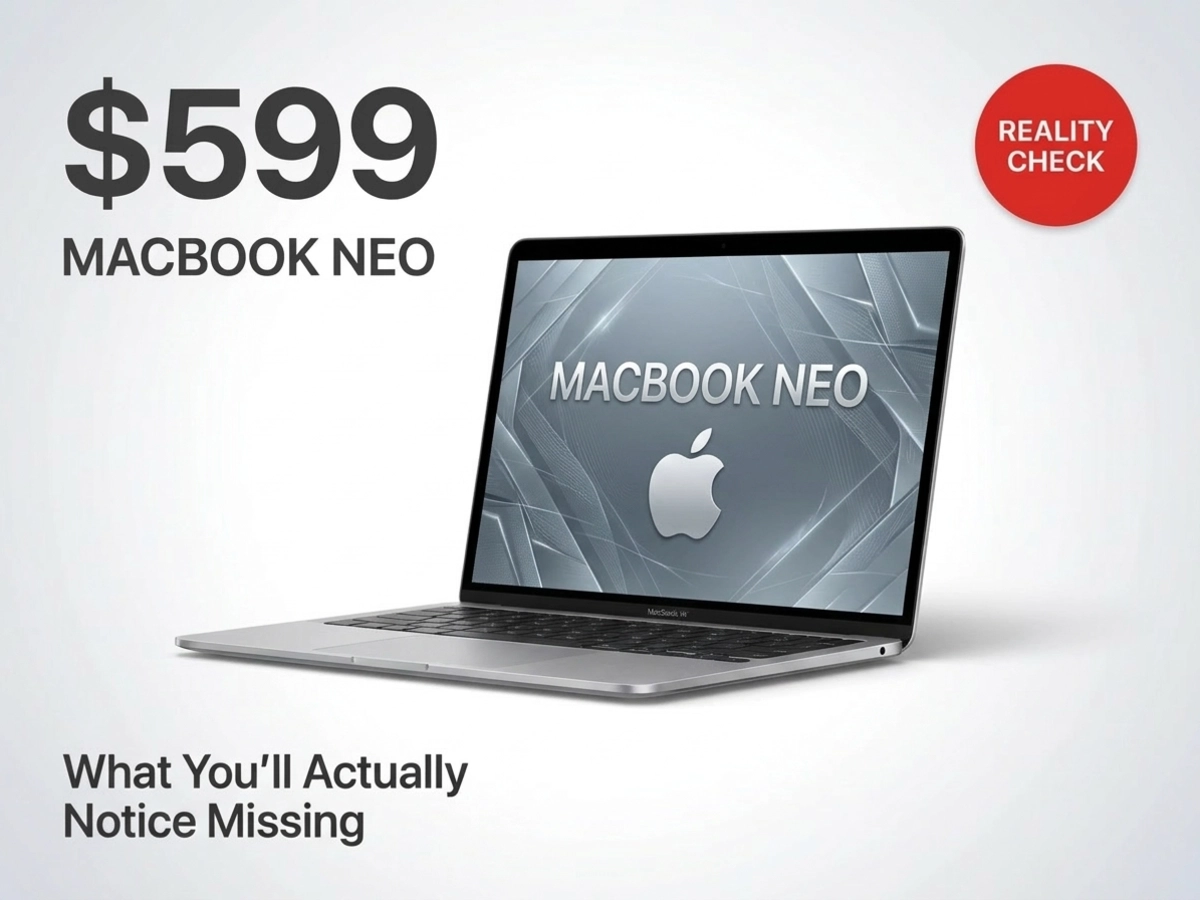
The MacBook Neo trades eleven MacBook Air features to hit $599, and the internet is loudly arguing about the wrong ones. Most of the tradeoffs are invisible in regular use. A few will genuinely change how the laptop feels to own. One is worth an extra $100 to fix before you ever open the box. This guide maps all of them so you can stop guessing and make the call.
The MacBook Neo has generated two completely different conversations: one about a phone chip inside a Mac, and another about 8 gigabytes of RAM, and only one of those conversations is really worth having.
The chip conversation tends to center on the wrong performance dimension. For the tasks the Neo was designed around, browsing tabs, writing documents, streaming video, editing photos, the benchmark that matters most is single-core CPU speed. This is the score that reflects how fast the machine handles one task at a time, which is the overwhelming majority of what any laptop user is actually doing at any given moment. The A18 Pro, which is the same processor Apple placed in the iPhone 16 Pro, posts a Geekbench 6 single-core score of 3,461 and a multi-core score of 8,668. In context: the M1 MacBook Air scored 2,346 single-core and 8,342 multi-core, while the M4 MacBook Air reached 3,696 single-core and 14,730 multi-core. The Neo sits between the M3 and M4 in the dimension that matters most for its audience, and well ahead of the M1 chip that powered MacBooks most current MacBook owners already find perfectly adequate.
The chip economics help explain how the $599 price is possible. The A18 Pro die is approximately 25 percent smaller than the M4 chip, which means Apple produces significantly more units per silicon wafer at higher yields. That manufacturing efficiency flows directly into the price tag. Against the Windows competition at this price point, the performance gap widens further. The A18 Pro's single-core speed is 38 percent faster than the Intel Lunar Lake Core Ultra 5 226V and 43 percent faster than the Snapdragon X Plus chips powering similarly priced Windows laptops.
Where the A18 Pro genuinely struggles is under sustained, parallelized load. Tom's Hardware logged the chip's clock speed behavior and found that the performance cores peak around 4 GHz, then drop within a minute of sustained stress, settling at 2.9 to 3.2 GHz after about five minutes. That behavior matters for video rendering and code compilation. For the audience this laptop is built for, it essentially doesn't exist.
The sustained multi-core throttling is real. It's also irrelevant for anyone buying a $599 Mac to replace a Chromebook or aging Windows machine. The fear about the A18 Pro is directed at the wrong performance axis.
Some of the Neo's missing features are real friction points that will surface in specific situations. Three stand out.
Touch ID's absence from the $599 model is the most universally felt. Every login to the base model requires typing a full password. Apple Pay on Mac isn't available without either a connected iPhone or an upgrade to the $699 model, which includes the fingerprint sensor alongside 512GB of storage. An Apple Watch can unlock the Mac as a substitute, but that only works if you own one, and it doesn't replace Touch ID for purchase authentication.
The missing backlit keyboard takes a different shape depending on the person using the laptop. The keys are light-colored with dark lettering, which provides better low-light contrast than a black keyboard would. But there are no LEDs behind them. Touch typists who work in normal office or home lighting say they never noticed it was absent. Students who study in dim dorm rooms or dark lecture halls found it genuinely limiting. Whether this matters depends entirely on your typing habits and environment; for most touch typists who work in reasonably lit spaces, the omission disappears after the first hour.
The third compromise in this tier is more subtle: with only one high-speed USB-C port on the left side, the Neo is effectively a one-port machine during normal use. Since there's no MagSafe, the charging cable occupies a port. Move the charger to the right port and you free up the high-speed left port, but the right port caps at 480 megabits per second and cannot drive an external display. This combination of constraints means anyone who regularly connects both a monitor and a high-speed peripheral will need to either choose one or add a hub.
In practice, right now, the MacBook Neo handles everyday workloads without hitting its RAM ceiling in a meaningful way. Engadget measured RAM usage hovering between 80 and 85 percent under heavy multitasking, but never exceeding that threshold. The operating system alone consumes roughly half the available memory at idle, leaving the rest for active work. macOS offloads idle app data to the internal SSD to compensate, and reviewers testing heavy simultaneous workloads reported smooth operation throughout.
The forward-looking concern is different. MacRumors confirmed that Apple standardized all other Mac base configurations at 16GB in October 2024. The MacBook Neo shipped with 8GB eight months later. That makes it the first Apple Mac to launch below the 16GB floor since Apple set it.
Apple moved all Mac base configs to 16GB in late 2024, and then shipped the Neo with 8GB in early 2026, eight months later. The RAM configuration isn't a build-to-order option; it's fixed by the A18 Pro's chip architecture, the same package design that ships inside the iPhone 16 Pro. No upgrade is available at purchase or after. This timing suggests, though Apple hasn't confirmed it, that the constraint is structural rather than a deliberate market-segmentation decision. Apple cannot offer 16GB here; the chip doesn't support it.
This architectural ceiling matters beyond raw performance. For buyers comparing the MacBook Neo's $599 starting price to a MacBook Air with 16GB, it's worth noting that RAM prices in 2026 have increased significantly across the consumer PC market, making memory upgrades and higher-spec alternatives more expensive than they were a year ago. The $500 gap between the Neo and the entry-level MacBook Air is real, but the Air's 16GB represents meaningful longevity insurance at a moment when memory costs are rising.
Every reviewer who addressed the 8GB question seriously treated it as a future concern rather than a present one. The ceiling causes no meaningful friction today. The question for any buyer isn't whether 8GB will eventually feel limiting, but whether it will feel limiting within their ownership window. As Apple Intelligence expands toward more on-device AI processing, that window will likely be shorter than the three to four years most Mac buyers expect from their machines. Buyers who plan to use this laptop beyond two or three years are taking a measured risk.
The MacBook Neo has two USB-C ports, both on the left side. The left port runs at USB 3 speeds, up to 10 gigabits per second, and is the only port that supports external displays. Apple's official launch documentation specifies that external display connectivity is supported on the left USB-C port only. The right port maxes out at 480 megabits per second, the USB 2 standard, and is suited for charging, audio adapters, and basic accessories. macOS alerts you if you plug a display into the wrong port, which is genuinely helpful since both ports look identical from the outside.
Neither port supports Thunderbolt. That means high-bandwidth Thunderbolt docks, Thunderbolt-connected external SSDs, and Thunderbolt displays are all incompatible, full stop. A USB-C hub plugged into the high-speed left port will expand connectivity, but at the USB 3 ceiling, not Thunderbolt's considerably faster threshold.
The internal SSD compounds this for users who move large files locally. MacRumors, citing The Verge's testing, found the MacBook Neo's internal drive delivers sustained speeds up to eight times slower than the MacBook Pro with M5 Pro or M5 Max chips. Estimated in concrete terms: transferring a 100GB file takes roughly one minute on the Neo, compared to about 30 seconds on a MacBook Air and 7 to 8 seconds on the latest MacBook Pro.
The constraint is less about the missing specs individually and more about what they combine to prevent. For a student who charges the laptop overnight and uses it untethered through the day, none of this registers. For anyone who connects an external display, a fast SSD, and an adapter simultaneously, the Neo needs a hub and the hub hits a ceiling.
The remaining omissions are real in the sense that the Neo's specs page doesn't include them. They're not real in the sense of affecting a typical day. The full list of what's missing but largely invisible:
True Tone (automatic white balance adjustment based on ambient light)
P3 wide color gamut (relevant for color-critical photo and video work; sRGB is the standard for web content)
Center Stage (auto-reframing webcam; any paired iPhone via Continuity Camera replicates this)
Wi-Fi 7 (standard is Wi-Fi 6E; most home and campus routers don't support Wi-Fi 7 yet)
Ambient light sensor (brightness doesn't auto-adjust; manual control works normally)
Force Touch trackpad (replaced by a mechanical multi-touch version that physically clicks)
MagSafe (charging via USB-C instead; covered in the port section above)
True Tone isn't present, though users who've never had it tend not to miss it, and users who've used it are divided on preference. The display is sRGB rather than P3 wide color gamut, which matters for photographers doing color-critical work and essentially no one else using a $599 laptop. Center Stage, the webcam auto-reframe feature, is absent, but any iPhone paired to the Neo via Continuity Camera provides Center Stage alongside a better sensor than the Neo's built-in 1080p camera. Wi-Fi 7 isn't supported; Wi-Fi 6E is, and the majority of home and campus routers can't yet take advantage of Wi-Fi 7 anyway.
The Force Touch trackpad is replaced by a mechanical version that physically clicks, unlike some Windows budget laptops where the trackpad doesn't click at all. Reviewers described the mechanical trackpad as workable, and non-technical users in several reviews couldn't distinguish which type they were using without being told. Reviewers who tested the Neo for extended periods stopped mentioning these omissions after the first day. Battery life 13 hours 28 minutes of continuous web browsing at 150 nits in Tom's Guide's standardized test became the more prominent talking point as testing extended.
Touch ID is missing from the $599 model, the SSD is half the size, and the $699 version costs $100 more, three reasons that point in the same direction. For individual buyers, the $699 model adds Touch ID and doubles storage to 512GB, and every major publication that addressed the question directly recommended the $699 configuration for personal use. The $599 model is well-suited for bulk school purchases, where students work primarily through cloud services and shared devices don't benefit from biometric login. For a single person buying this as their own laptop, the $100 premium delivers two of the three most significant daily friction points at once.
Partially. An Apple Watch paired to the Neo can unlock the computer automatically when it's nearby, which eliminates the need to type a password each time the screen wakes. For that specific use case, the Apple Watch workaround is seamless.
The limitation is that Apple Watch doesn't extend to purchase authentication. Completing an Apple Pay transaction or authorizing app downloads requiring Touch ID confirmation still routes through the iPhone on a $599 Neo. If you own an Apple Watch and primarily want to avoid password prompts at login, the workaround is effective. If you regularly use Apple Pay on Mac or authorize frequent purchases, the $699 model with Touch ID is the cleaner solution.
For most of the target audience, the answer is very little. The Neo's primary audience stores most of their work in iCloud Drive, Google Drive, or similar services. Local file transfers for documents, photos from a phone sync, and typical app installations fall well within the Neo's SSD performance range without noticeable delay.
For users who manage large video libraries, edit from local drives, or regularly move files in the tens or hundreds of gigabytes, the gap becomes concrete. MacRumors, citing The Verge's testing, found sustained SSD speeds up to eight times slower than the MacBook Pro M5 Pro or M5 Max. A 100GB transfer that takes about 30 seconds on a MacBook Air takes roughly a minute on the Neo. That's a real difference for media workflows, not a relevant one for cloud-first use.
At launch, yes. The A18 Pro's Neural Engine handles all Apple Intelligence capabilities currently available in macOS Tahoe, including Writing Tools, Clean Up, Genmoji, and Image Playground. The 16-core Neural Engine was designed with these workloads in mind, and current features run without the limitations you might expect from 8GB of RAM.
The uncertainty lies further out. Apple continues to expand Apple Intelligence with each software update, and future features requiring more on-device memory capacity may push against the 8GB architectural ceiling before they arrive. Apple hasn't published memory requirements for planned future capabilities. Buyers expecting to use this laptop through 2028 or 2029 are making a reasonable bet on current features but an uncertain one on the full Apple Intelligence roadmap.