Finished reading? Continue your journey in Tech with these hand-picked guides and tutorials.
Share your expertise with our readers. TrueSolvers accepts in-depth, independently researched articles on technology, AI, and software development from qualified contributors.
TrueSolvers is an independent technology publisher with a professional editorial team. Every article is independently researched, sourced from primary documentation, and cross-checked before publication.
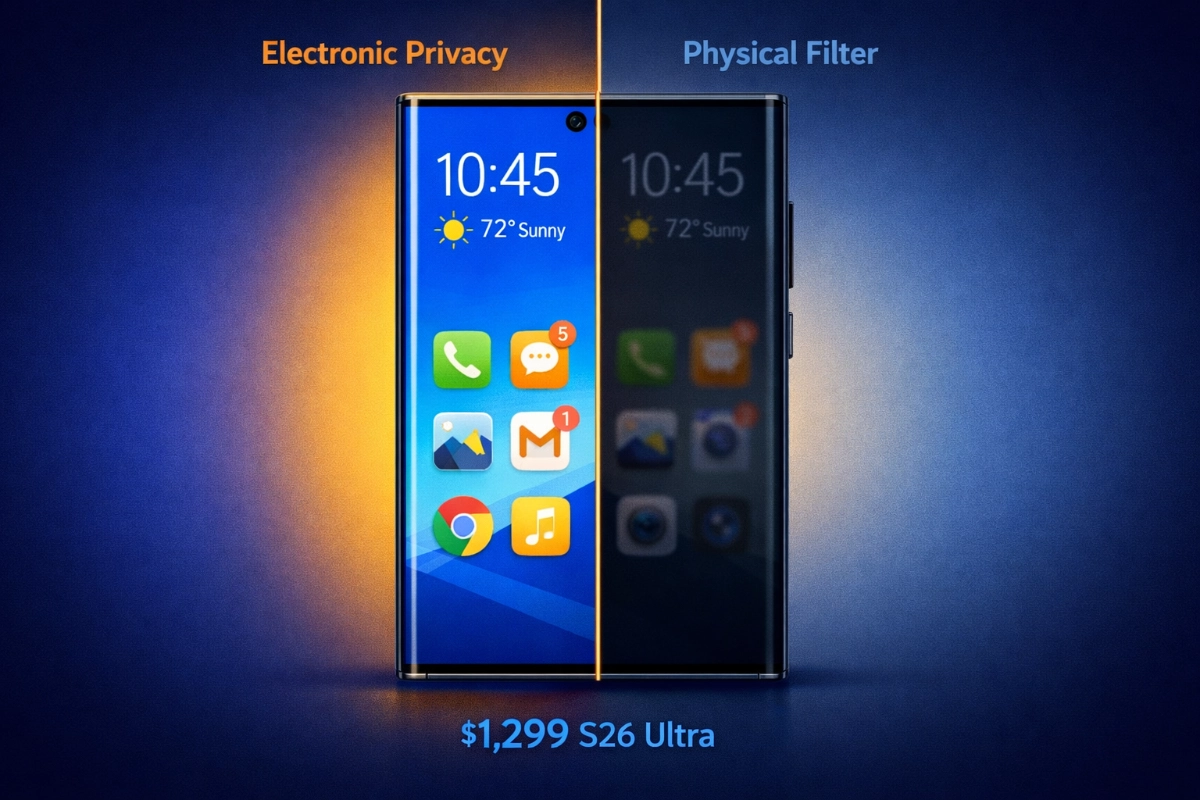
Samsung announces its Galaxy S26 Ultra on February 25, 2026, featuring Privacy Display technology that blocks shoulder surfing through electronic pixel control rather than physical screen filters. The feature requires new M14 OLED hardware, making it exclusive to the S26 Ultra at launch with no option to add it to current phones. This creates a decision point: wait until March 11 for the $1,299 S26 Ultra with built-in electronic privacy, or solve shoulder surfing immediately with a $15-40 physical privacy filter on any current smartphone.
Checking your bank balance on a crowded train, reading a work email at an airport gate, typing a password at a coffee shop counter: these are the moments Privacy Display was built for. Samsung describes the Galaxy S26 Ultra's feature as the world's first Privacy Display on a smartphone, and independent testing supports that claim more convincingly than most product marketing.
The technology goes by the name Flex Magic Pixel. Pre-launch coverage widely referenced the underlying panel as "M14 OLED," but the correct architecture name is Flex Magic Pixel, built on Samsung's LEAD 2.0 platform. That label is the one appearing in Samsung Display's official documentation, and it's the name used throughout this article. Each pixel in the S26 Ultra's display contains two distinct sub-pixel types: narrow-angle pixels that project light almost exclusively straight ahead, and wide-angle pixels that distribute light across a broader cone. In normal use, both types fire simultaneously, and the display looks identical to any other premium OLED. When Privacy Display activates, the wide-angle pixels are suppressed, leaving only the narrow forward-projecting pixels lit. Anyone looking at the screen from the side sees near-darkness. Anyone looking straight on sees the display at normal clarity.
The effect has been verified outside Samsung's own lab. Samsung Display submitted the Flex Magic Pixel panel to UL Solutions for independent verification, which confirmed that the S26 Ultra's display retains just 3.5% of its frontal brightness when viewed from a 45-degree side angle, dropping to 0.9% or below at 60 degrees. A conventional smartphone OLED retains roughly 40% of its brightness from the same side angles. That gap is the margin between readable and invisible for a bystander.
Samsung Display has been engineering this technology for roughly six years, filing approximately 150 patents related to Flex Magic Pixel since 2020. That development timeline explains the hardware commitment required: the architecture is not a software feature layered onto a standard display. The panel is physically redesigned around privacy from the start.
There are two activation modes. Earlier coverage described Privacy Display as preserving full brightness for the primary viewer while restricting everyone else. That framing is accurate enough in standard mode for most indoor environments. It does not hold in Maximum Privacy Protection mode. Tom's Guide lab testing measured that Maximum Privacy Protection drops the display from approximately 1,209 nits in standard SDR viewing to 586 nits, a reduction of 67.6%. That is a dimming effect roughly comparable to what a physical privacy filter imposes on the primary viewer. It is not unusable, but it is not cost-free. The rest of this article uses measured figures rather than the pre-launch summary.
The S26 Ultra launches at $1,299 for the base 256GB model and went on sale March 11, 2026, with a Samsung-rated peak brightness of 2,600 nits. Tom's Guide's lab measured actual peak at 1,806 nits under test conditions.
The headline claim holds up where it matters most: Privacy Display does make the screen invisible to side viewers, and it does so far more effectively than any physical filter. The legitimate criticism is not that the technology fails at its core job. The cost is real, just different in timing and character than a physical filter's cost — a tradeoff that becomes fully visible once you move from standard mode to maximum protection.
The toggle lives in Quick Settings, prominent and accessible, not buried in menus. Privacy Display can be scheduled to activate automatically, linked to specific apps so that a banking app triggers it while a photo gallery does not, or applied only to specific screen zones such as notification banners or PIN-entry fields, leaving the rest of the display fully visible. The S Pen works normally regardless of mode.
When the S26 Ultra reached early buyers in the first weeks of March 2026, a thread of complaints emerged that had nothing to do with Privacy Display being active. It was about what the display does when the feature is completely off.
Multiple early adopters, including prominent display analyst Ice Universe, reported that text on the S26 Ultra appears less crisp than on the S25 Ultra, even with Privacy Display disabled. Some users described eye strain after extended reading sessions, and a portion of early buyers returned their devices. The explanation, confirmed by microscopy testing from GSMArena, traces directly to the dual-pixel architecture. When only half the pixels are the narrow-angle type and those pixels inherently project less light at any off-axis angle, including the minor angles that occur as your gaze moves from the center to the edges of the screen, the result is subtle edge-rendering differences and micro-variations in luminance that some users perceive clearly and others do not notice at all.
This is a hardware characteristic, not a software issue with a firmware fix on the horizon. The panel is physically designed this way; the narrow-pixel architecture that makes Privacy Display possible exists at all times, not just when the feature is on. Samsung has not announced any update that would address text rendering behavior.
There is also a launch error that pointed to a larger quality-control concern: Samsung initially listed the S26 Ultra in product briefings as featuring a 10-bit display, a specification that had to be corrected after release; the actual display is 8-bit. For most users this distinction is invisible in practice, but for those who evaluate displays closely, it added to the post-launch unease.
The experience appears to be genuinely variable — and that variability is itself a signal worth taking seriously. Several well-regarded reviewers reported no issues with text clarity and said the display looked excellent throughout their evaluation period. Others noticed the differences immediately. Individual visual sensitivity, the type of content being read, and ambient lighting conditions all appear to influence whether the effect is perceptible. For a phone at this price point, a reasonable expectation is that display quality concerns don't require caveats. The S26 Ultra's Privacy Display delivers something no other phone currently offers. The same panel architecture means some buyers will notice compromises that were not disclosed in the announcement.
The practical takeaway is specific: if text rendering quality matters to you, evaluate the S26 Ultra in person before purchasing. If you've already bought one and notice no issues, that experience is common. But the return data and the sources involved suggest this is not a complaint worth dismissing.
Physical privacy screen protectors have been solving shoulder surfing since before smartphones existed. The technology inside them, called micro-louver construction, works like a sheet of microscopic vertical blinds embedded in the filter material. Light travels through the louvers when it moves straight forward. Light that tries to exit at an angle hits the louver walls and stops. The result is that the primary viewer sees a clear screen; anyone looking from beyond roughly 30 to 60 degrees off center sees a darkened surface.
The benefits are straightforward: buy one for any Android phone for $15 to $40, apply it in minutes, and the protection begins immediately with no setup, no toggles, and no configuration required. It works in every app automatically. It cannot be accidentally left off. For anyone who wants guaranteed passive protection without building new habits or trusting themselves to activate a feature at the right moment, a physical filter is the more reliable backstop.
The tradeoffs cannot be software-updated away. A physical filter reduces brightness for everyone looking at the screen, including the primary viewer, because the louver structure physically blocks a portion of the light leaving the panel. The primary viewer must compensate by increasing screen brightness, which consumes more battery. In bright outdoor sunlight, the reduced baseline can make the display difficult to use entirely. Quality varies across manufacturers: budget options may introduce moiré interference patterns or slight color distortion, particularly on high-density displays. Premium tempered glass options reduce but do not eliminate these artifacts.
The fundamental limitation of physical filters is not brightness reduction; it is the inability to be selective. A physical filter cannot distinguish between a bystander you do not want reading your screen and a colleague you are trying to show something to. It cannot protect only the notification bar while leaving the rest of the display open. It cannot turn off during a screen-share and turn on again when you are alone. The S26 Ultra's Privacy Display solves each of those limitations, which is precisely where the price gap either justifies itself or does not, depending on how often those specific limitations create friction in your actual daily use.
If long reading sessions in public are part of your routine and you currently have a standard phone, a good privacy filter pairs naturally with other small adjustments for mobile readability. Accessibility-focused tools like Chrome's Reading Mode for Android address a related problem from a different angle: rather than blocking who can see your screen, Reading Mode strips away visual complexity so the content itself becomes easier to read comfortably, with persistent text scaling and distraction removal. Privacy filter plus Reading Mode together handle both the security exposure and the ergonomic strain that come with reading on a small screen in public.
The decision this article's title poses is framed as binary: buy the S26 Ultra and get electronic privacy, or buy a $15 filter and solve the problem today on whatever phone you own. That framing is accurate if you currently own a flagship smartphone. For anyone shopping for a new flagship, a third option exists and is worth taking seriously.
The Samsung Galaxy S25 Ultra launched at $1,299 in February 2025 and is now available at meaningfully lower prices. The S26 Ultra carries a $1,299 starting price at launch. Tom's Guide's comparison found the substantive differences between the two models amount to charging speed (60W wired on the S26 Ultra versus 40W on the S25 Ultra, and 25W wireless versus 15W), a modestly wider aperture on the main camera, a slight reduction in thickness and weight, and Privacy Display. Battery capacity, resolution, and everyday processing performance are nearly identical in practice.
For a buyer without a current flagship, the calculation looks like this: an S25 Ultra at a post-launch discount, plus a $25 premium physical privacy filter, delivers comparable everyday performance and solves the shoulder surfing problem for a total spend comfortably below $1,299. The S26 Ultra's Privacy Display is superior to a physical filter in several specific ways, as covered above. Whether those advantages justify the S26 Ultra's full launch price depends on whether you value electronic privacy control specifically, or whether you want a flagship with shoulder surfing protection as one benefit among many.
The S25 Ultra plus filter option is compelling for buyers who prioritize display quality above other considerations. The S25 Ultra's standard OLED panel does not carry the dual-pixel architecture and its associated text rendering questions. Buyers sensitive to display quality who also need privacy protection may find the older flagship at reduced prices plus a good physical filter is a better overall package than the S26 Ultra at full launch price.
This does not mean the S26 Ultra is a poor choice. The S26 Ultra's value case is strongest for those who would have upgraded from the S24 Ultra or earlier regardless, making Privacy Display an added benefit rather than the sole justification. For S25 Ultra owners, the upgrade case is thin. For new flagship buyers, the three-way frame deserves real consideration.
The electronic privacy approach earns its premium most clearly for three types of buyers.
Corporate users under IT management are the clearest case. Samsung confirmed to Android Police that Privacy Display is exclusive to the S26 Ultra because the standard S26 and S26 Plus lack the required display hardware; it is a physical panel distinction, not a chipset or software boundary. Samsung Knox integration allows IT administrators to enforce Privacy Display policies across a managed fleet: mandatory activation on public WiFi connections, always-on in designated sensitive applications, or automatic triggering within geofenced zones around secure facilities. For enterprise deployments where individual compliance cannot be assumed, the Knox policy layer does what no physical filter can: enforce protection programmatically.
The second strong case is anyone who frequently needs to share their screen with a nearby collaborator. A physical filter makes spontaneous screen sharing consistently awkward; you must angle the phone precisely, and viewing from anything but the optimal angle is difficult for the person you are showing something to. Privacy Display eliminates this friction entirely. The Quick Settings toggle deactivates in seconds, and the screen returns to full wide-angle visibility immediately.
Third, buyers planning a new flagship purchase anyway who are coming from a device older than the S25 Ultra will find the S26 Ultra's total package compelling. Privacy Display is the signature feature, but the charging improvements, camera aperture upgrades, and build refinements add up to a meaningful generational step from an S24 Ultra or earlier.
A note on the future: Samsung Display demonstrated an enhanced per-zone Privacy Display system at MWC 2026 and confirmed that the improved capability is achievable on current Flex Magic Pixel hardware without requiring a new panel. That means S26 Ultra buyers may receive expanded partial-screen control through future software updates, protecting specific keyboard regions, individual chat windows, or isolated UI panels while leaving the rest of the display fully visible. When that update arrives is not confirmed, but the hardware is ready for it.
A physical filter is the right answer when immediacy matters more than elegance. If your shoulder surfing exposure is happening now, in a high-risk work environment, on public transit every day, a $25 filter solves the problem today on the phone in your pocket.
The physical filter also wins for buyers who want passive, always-on protection that requires no habit formation. Electronic privacy protection depends on the user configuring app-specific triggers or remembering to activate the Quick Settings toggle. Physical filters require neither. For someone who knows they will forget to activate a toggle at the critical moment, the filter's automatic coverage is a genuine advantage.
Buyers who care deeply about display quality and have not evaluated the S26 Ultra in person should treat the decision carefully. The post-launch text clarity reports are not universal, but they are credible and come from knowledgeable sources. The S25 Ultra at a reduced price plus a premium physical filter delivers a display that has not generated equivalent concerns, alongside shoulder surfing protection, for a total cost below the S26 Ultra's launch price.
If your current flagship is the S25 Ultra, this upgrade's value is limited to Privacy Display and incremental improvements. The charging speed increase, camera refinements, and marginal weight reduction do not constitute a compelling case for replacing a device purchased within the past year.
Does Privacy Display work if someone is looking at my screen from directly above, not from the side?
The Flex Magic Pixel architecture restricts light at lateral angles, which is where most shoulder surfing occurs. For someone positioned parallel to you and looking sideways at your screen, protection is very strong. For someone leaning over you from directly above at a steep vertical angle, protection is less complete. This overhead vulnerability is a limitation of the current implementation. The partial-screen control features, protecting notifications or PIN-entry zones only, can reduce overhead exposure in specific high-risk moments, but the system is optimized for side-angle threats.
Can I combine a physical privacy filter with the S26 Ultra's built-in Privacy Display?
Technically yes, but the combination works against the electronic system's primary advantage. Privacy Display's main benefit over a physical filter is maintaining full brightness for the primary viewer in normal use. Adding a physical filter on top re-introduces the baseline brightness reduction that electronic privacy avoids. Using both simultaneously makes sense only in a specific scenario: someone who wants guaranteed side-angle protection even when Privacy Display is accidentally left off, and is willing to accept the brightness reduction that comes with the physical filter. For most users, one approach is sufficient.
Can Samsung add Privacy Display to the S25 Ultra through a software update?
No. The Flex Magic Pixel architecture is built into the physical display panel at manufacturing. The S25 Ultra and all earlier Samsung phones use standard OLED panels without the dual-pixel sub-structure that Privacy Display requires. Software cannot create pixel-level light directionality that the hardware does not support. This boundary is confirmed and permanent.
How does Privacy Display integrate with Samsung Knox for enterprise use?
Knox administrators can configure Privacy Display as a managed policy rather than a user choice. Options include mandatory activation on any public or unrecognized WiFi network, always-on enforcement within specific apps designated as handling sensitive data, and geofence-triggered activation when a device enters defined zones such as a client office or secure facility. Devices enrolled through Knox Mobile Enrollment can receive these configurations as part of the initial provisioning profile, ensuring protection is active from first setup. Enterprise policies can override user preferences when security requirements demand it.
Will the display quality concerns be addressed by a future software update?
Samsung has not made any public statement confirming that a firmware update will address text rendering behavior. The underlying cause, the narrow-pixel architecture's characteristics at off-center angles, is a consequence of the physical display structure rather than a software calibration setting. Whether Samsung can improve rendering through pixel-driving adjustments in a future update is technically possible but unconfirmed. Buyers with significant text clarity concerns should evaluate a unit in person.