Finished reading? Continue your journey in Tech with these hand-picked guides and tutorials.
Boost your workflow with our browser-based tools
Share your expertise with our readers. TrueSolvers accepts in-depth, independently researched articles on technology, AI, and software development from qualified contributors.
TrueSolvers is an independent technology publisher with a professional editorial team. Every article is independently researched, sourced from primary documentation, and cross-checked before publication.
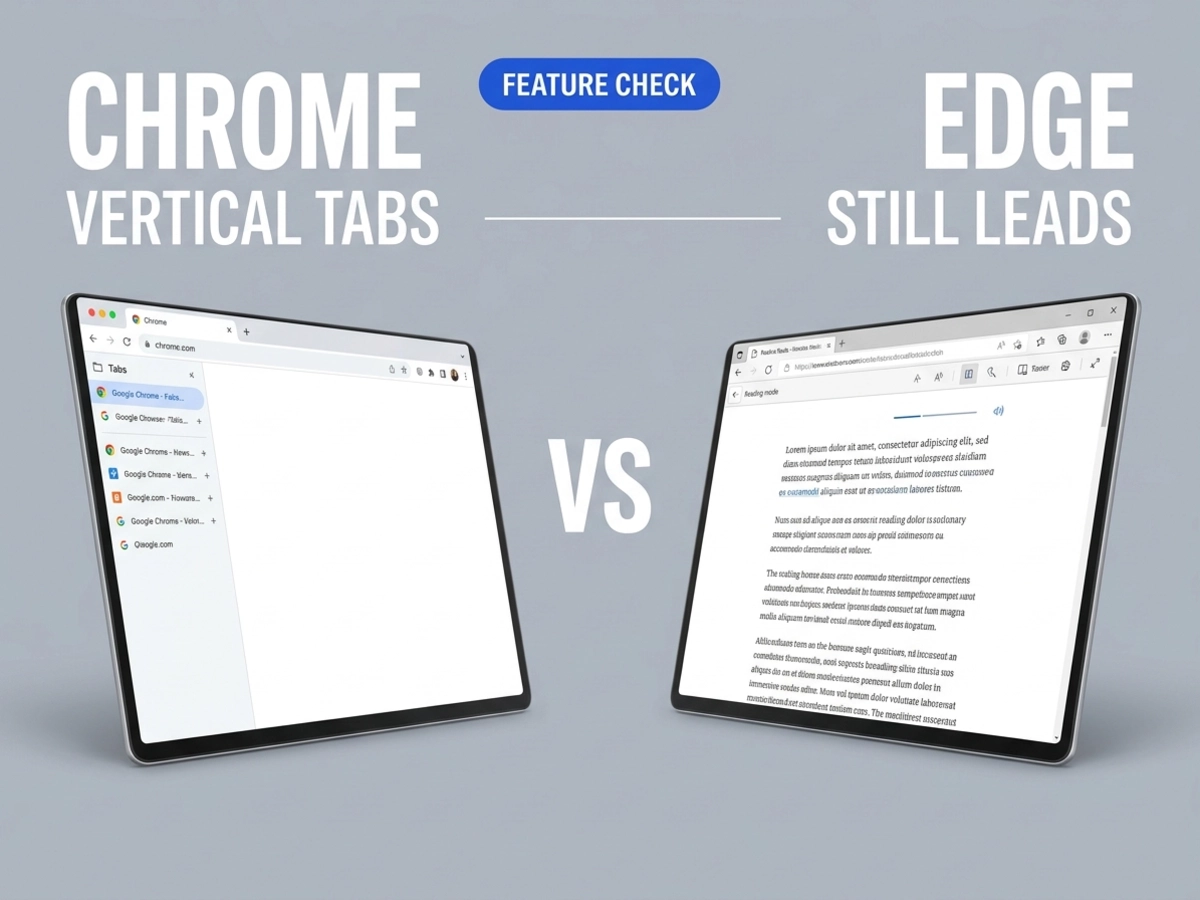
Chrome just added vertical tabs and a full-page reading mode to its stable channel — features Edge has had since 2021. Both work well for typical users. But for power users managing heavy tab loads or accessibility-focused workflows, Edge still holds meaningful advantages worth understanding before you decide to stay or switch.
Chrome vertical tabs arrived in the browser's stable channel on April 7, 2026, per Google's official announcement — alongside an upgraded full-page reading mode. Both features are available on desktop only, across Windows, macOS, Linux, and ChromeOS. Mobile Chrome does not currently support either feature.
The competitive context matters here. The browser timeline for this particular feature is longer than most coverage acknowledges: Vivaldi introduced the layout in 2015, Edge adopted it in 2021, Arc built its launch identity around it in 2023, Firefox shipped it in 2025, and Chrome joined them in 2026. Chrome's reading mode, meanwhile, existed for years in a hidden experimental state — accessible only through developer flags, not as a feature the average user could discover through normal browser navigation.
Google is distributing both features gradually through Chrome 146, with the rollout beginning April 7, 2026. We have not found any confirmed completion date for the rollout in Google's official materials. Some users on the same browser version see the right-click options immediately; others on identical builds do not, because Google enables features server-side in waves before the interface options become universally available.
What gives Chrome's late arrival its significance is not the features themselves but the scale at which they land. Chrome holds the largest desktop browser install base of any browser by a substantial margin, which means vertical tabs and an improved reading mode will now reach far more users through Chrome than through all previous browser implementations combined — regardless of how many years those implementations existed first. A feature available to 65% of desktop users functions differently in the ecosystem than the same feature available to 13%.
Enabling vertical tabs:
Right-click anywhere on the Chrome tab bar.
Select "Show Tabs Vertically."
The horizontal strip at the top disappears immediately and all tabs move to a collapsible sidebar on the left. Each tab shows its full page title rather than a compressed favicon, and you can collapse the sidebar to icon-only mode when you need horizontal space back. The change persists as your default until you reverse it by right-clicking and choosing to restore the horizontal layout.
Enabling reading mode:
Right-click any text-heavy page.
Select "Open in Reading Mode."
Chrome strips the page of ads, navigation elements, and sidebar clutter, presenting just the article text in a full-page format. A button in the address bar also triggers the mode on compatible pages. The upgrade from Chrome's previous implementation is meaningful: the old version opened a cleaned text view in a side panel alongside the original cluttered page, which defeated the purpose of distraction-free reading. The new version replaces the entire view.
If either option doesn't appear in your right-click menu yet, your installation may not have received the server-side update. The fallback is Chrome's experimental flags page: navigate to chrome://flags/#vertical-tabs and chrome://flags/#read-anything, enable both, then relaunch. Chrome 147's release notes confirm that vertical tabs remain flag-dependent for users outside the server-side rollout wave — the feature has not graduated to default-on behavior in the second release after launch. Both features are desktop only. There is no confirmed timeline for mobile Chrome to receive either update.
Vivaldi had vertical tabs in 2015. Edge launched them in 2021. Firefox added them last year. Chrome arrived in 2026 — and in doing so, quietly retired vertical tabs as a competitive differentiator. For the years between Edge's 2021 launch and Chrome's 2026 rollout, vertical tabs were one of the clearest functional reasons for a Chrome user to consider switching browsers. That reason no longer exists. Whether Edge's remaining tab management advantages are sufficient to motivate switching is a separate question — which the next two sections address directly.
Open ten tabs with vertical tabs enabled and the value is immediate. Open thirty, and the sidebar becomes a scrollable wall — and a wall of text is still a wall.
The core problem vertical tabs solve is straightforward. Once a horizontal tab bar fills beyond roughly six or seven tabs, page titles disappear entirely, leaving only favicons to distinguish between open pages. For anyone researching across multiple sources, working across several web apps, or tracking reference material alongside active documents, this creates real cognitive friction — you spend time hovering, guessing, and occasionally closing the wrong tab. A vertical list eliminates that friction by keeping full page titles visible at any tab count.
The widescreen argument reinforces the benefit. Nearly every current desktop monitor and laptop display is wider than it is tall, and nearly every website is designed as a vertical reading experience. The horizontal tab bar occupies premium real estate along the top edge while content flows downward. Moving tabs to the side reallocates that space more sensibly for how contemporary displays work.
The evidence suggests the productivity benefit peaks within a specific range. Tab groups integrate cleanly with the vertical layout — color-coded project groupings remain visible and easy to rearrange. Chrome also allows collapsing the sidebar to icon-only mode when horizontal content takes priority. For users managing between roughly 10 and 25 open tabs on widescreen displays, the implementation delivers genuine value with no extensions required.
Above roughly 25 tabs, the sidebar itself becomes difficult to navigate — a dense scrollable column that requires almost as much searching as the old favicon strip. At that scale, vertical tabs alone also don't address the underlying resource problem. TabGroup Vault's 2026 benchmark, which tested Chrome, Edge, and Firefox with identical 50-tab workloads across the same sites, recorded Firefox using roughly 25-30% less RAM than Chrome. Vertical tabs change how you see your tabs; they don't change how much memory those tabs consume.
For users in the 10-25 tab range on 16:9 or wider monitors, Chrome's implementation is the right call. For anyone managing dozens of tabs as a regular workflow, the picture is more complicated.
Chrome's previous reading mode opened a stripped-down text view in a side panel while the original page stayed visible alongside it. This approach asked users to divide their attention between a cleaned version and the cluttered source — an awkward arrangement that undermined the entire premise of distraction-free reading. The new full-page interface solves that. Right-click any article and the browser replaces the full window with a clean, text-focused layout that removes ads, navigation menus, and sidebars.
For typical daily reading — news articles, blog posts, long-form features — this is a meaningful improvement that requires no extensions or third-party tools. It works immediately and is cleanly implemented.
Chrome and Edge both call their feature "Immersive Reading Mode," but the name covers significantly different capabilities — Edge's version includes read-aloud, translation, grammar tools, and PDF support; Chrome's strips ads and reformats text.
The iMentor browser reader comparison documents Edge's Immersive Reader capabilities in detail: read-aloud with adjustable voice and speed, line focus for guiding attention through dense text, syllable-splitting and parts-of-speech highlighting for language learners and readers with dyslexia, a built-in dictionary, translation, and PDF reading. Firefox's Reader View occupies the middle tier — it includes read-aloud, strong typography controls, and adjustable themes, without Edge's grammar and translation tools. Safari's Reader is clean and well-suited to the Apple ecosystem but relatively minimal. Chrome's new reading mode sits at the functional bottom of that hierarchy: reliable text cleanup, full-page display, and clean defaults, with few advanced features beyond the core distraction-removal function.
Whether Chrome's reading mode will eventually gain read-aloud and translation capabilities is unannounced — we found no indication of a roadmap for these additions in official materials. For users who read primarily to consume information without distraction, Chrome's implementation is sufficient. For users who rely on read-aloud for accessibility, learning, or multi-tasking, or who use reader mode for language study, Edge's Immersive Reader remains the more capable tool.
Chrome's new vertical tabs close the most visible gap between Chrome and Edge for everyday users. They don't close all of them.
Edge's tab management advantage was never limited to vertical tabs alone. The browser combines them with sleeping tabs — a feature that automatically suspends inactive tabs to free memory, more configurable than Chrome's equivalent and enabled by default. TheTab's 2026 browser comparison identifies Workspaces as an additional Edge capability with no Chrome equivalent: a project-based organizational layer that groups entire browsing sessions by context, isolating work projects, personal research, and reference material into separate named environments. Edge also uses AI to automatically suggest tab groupings, a capability Chrome does not yet offer natively.
Firefox contributes a different kind of advantage. Its process model shares resources across tabs from the same origin rather than isolating each tab in a separate process, producing meaningfully lower memory consumption at scale. The TabGroup Vault benchmark puts that gap at roughly 25-30% at 50 tabs.
The data points toward ecosystem inertia — not feature competition — as the primary driver of browser choice at Chrome's scale. Edge has held vertical tabs, Workspaces, sleeping tabs, and a more capable Immersive Reader since 2021 and earlier. Its global desktop share has remained around 13-14% throughout that period. Chrome's 64.86% global market share as of March 2026 has continued growing despite the feature gap. This pattern suggests that for most users, browser selection is driven by ecosystem integration, existing extension libraries, and familiarity — not by discrete feature advantages that competing browsers hold.
What Chrome's new features likely accomplish is narrower but real: they remove specific switching motivations. Users who stayed with Edge primarily for vertical tabs now have less reason to do so. Users who stayed with Edge for its full tab management system — sleeping tabs, Workspaces, AI organization, and the more complete reading mode — still have a functional case for staying.
Vertical tabs are worth enabling if you regularly keep more than eight or ten tabs open and work on a widescreen monitor. The tab group integration is clean, full titles are immediately readable, and switching back to horizontal tabs is a single right-click away. The feature works best as a permanent change tested across a normal workday rather than a quick trial.
The reading mode upgrade is worth exploring for any heavy reader of long-form web content. The improvement from side panel to full page is substantial enough that users who tried the old reading mode and dismissed it should give this version an independent look. It handles most articles cleanly and adds no overhead.
Users who need read-aloud, translation, grammar assistance, or PDF reading from their browser's reader mode will find Chrome's current implementation insufficient. Edge remains the stronger choice for those workflows.
Power users managing 30 or more tabs as a daily pattern, or anyone who relies on automatic tab suspension for memory management, still benefit from Edge's more complete system. Chrome's vertical tabs improve tab discoverability; they don't reduce the memory cost of keeping those tabs active.
The mobile picture is a separate question entirely. Neither vertical tabs nor the new reading mode has arrived for Chrome on Android or iOS — and on Android specifically, the competitive landscape looks different from desktop. Samsung Browser is building meaningful AI capabilities through One UI 9 that Chrome on Android currently lacks, suggesting that the browser feature gaps on mobile run in a different direction than the desktop story covered here.
For the large majority of Chrome users who manage moderate tab counts and read the occasional long article, both desktop features are genuine quality-of-life improvements. They work, they're built in, and they require nothing beyond a right-click to try.