Finished reading? Continue your journey in Tech with these hand-picked guides and tutorials.
Boost your workflow with our browser-based tools
Share your expertise with our readers. TrueSolvers accepts in-depth, independently researched articles on technology, AI, and software development from qualified contributors.
TrueSolvers is an independent technology publisher with a professional editorial team. Every article is independently researched, sourced from primary documentation, and cross-checked before publication.
Samsung users have had floating app windows for years. Android 17's bubble mode finally brings that capability to stock Android at the platform level, but hands-on testing reveals specific gaps that Samsung One UI still handles better. Here's what the feature delivers, where it falls short, and whether your device benefits from the June 2026 stable release.
The Android 17 bubble mode multitasking feature became fully functional on March 26, 2026, with the release of Beta 3 (build CP21.260306.017), the build that also marks Platform Stability for Android 17. Platform Stability is a specific development milestone: it means the API surface is locked, developers can submit Android 17-targeted apps to Google Play, and no further breaking changes will reach the platform before the stable public release. That milestone matters here because it means Bubbles is shipping in its finalized form, not as an experimental feature subject to redesign.
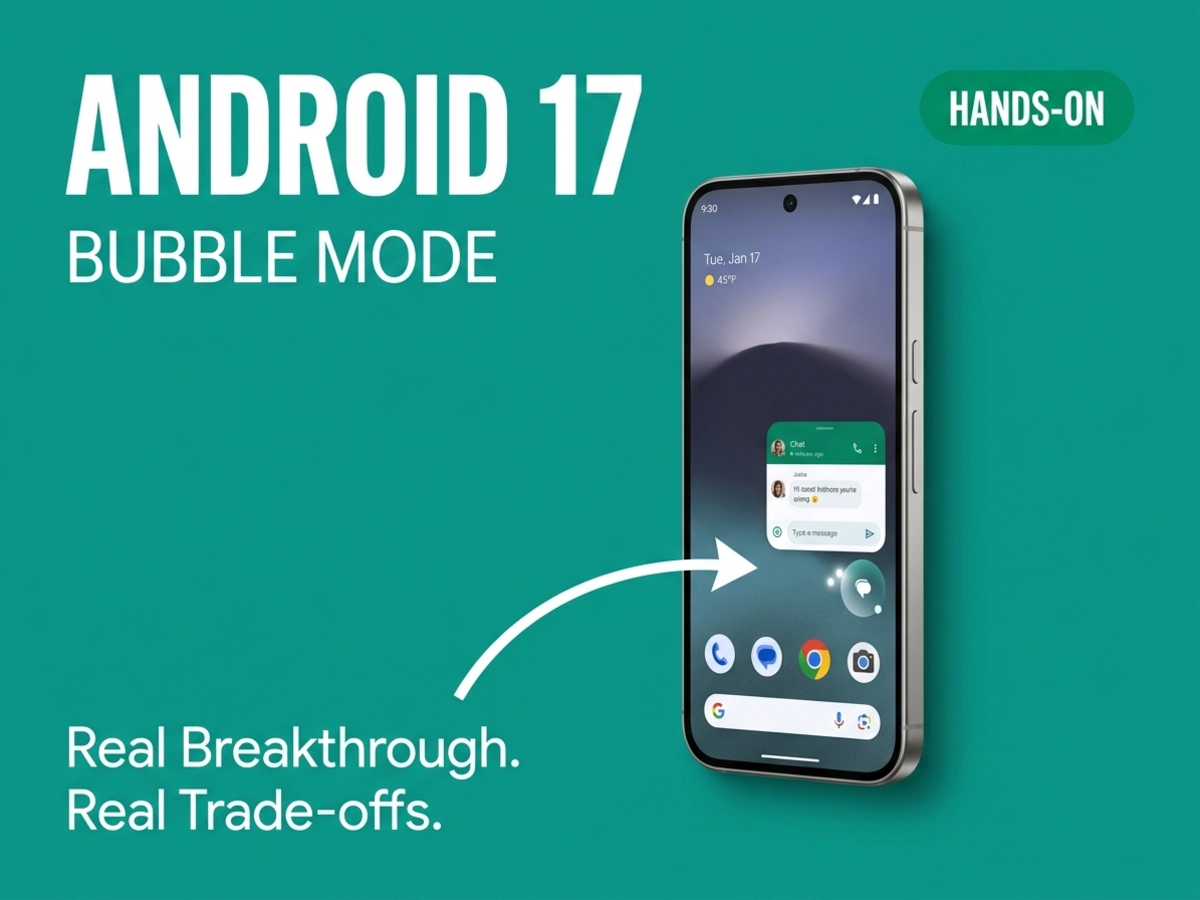
The official Android 17 release notes describe the feature directly: "Users can now bubble any app by long-pressing launcher icons. On large screens, a new bubble bar in the taskbar manages organized and anchored bubbles." That description captures the mechanics accurately. Any app can now float in a window that sits above whatever else is on screen. Tapping elsewhere minimizes it to a small icon. The window persists; you have not left the app.
What makes this genuinely new is how broadly it applies. The bubbles concept is not fresh to Android. Since Android 11 launched in 2020, a bubbles API has existed, but it was restricted to messaging conversation notifications. Apps like Google Messages used it, and users who have bubbled a WhatsApp conversation know exactly what a minimized bubble looks and feels like. For years, that API sat idle for everything outside messaging; Android 17 takes the same interaction model and extends it to every app without requiring developers to rebuild or retarget for the new capability.
The feature was announced in Beta 2 in late February 2026 but did not ship in that build. Beta 3 is where it went live. Because Beta 3 is the Platform Stability release, this is the form the feature will take at stable release: any changes before June would be bug fixes, not redesigns.
We should note that Google's official emphasis in the release documentation is on large-screen hardware; whether the experience is equivalent on standard phones has not been confirmed by Google. The feature appears to work on all Android devices based on third-party testing, but Google's own examples and descriptions consistently center foldables and tablets.
Stable Android 17 is expected in June 2026, following the same annual cadence as Android 16's release on June 10, 2025. Pixel 6 and newer devices, including Pixel Fold models and Pixel Tablet, are eligible for the beta today.
Split-screen mode has been Android's primary multitasking tool since Android 7 Nougat launched in 2016. It works, but it shrinks both apps to fit a divided display. On a standard 6-inch phone, that compromise is enough to make most users not bother. Bubble mode sidesteps that trade-off entirely: the bubbled app occupies a properly sized floating window rather than a cramped sliver, while the primary app stays full-screen underneath.
Android 17 Bubbles differs from floating window features that Samsung and OnePlus users have had for years in one structural respect: it sits at the Android OS level rather than inside a proprietary manufacturer layer. Samsung's One UI pop-up windows and OnePlus's Open Canvas both allow apps to float freely, but they are built for Samsung and OnePlus devices specifically. A developer building for Samsung's pop-up mode writes for that ecosystem. Google's implementation is available to any developer following Android's multi-window guidelines, regardless of which manufacturer made the device.
Samsung and OnePlus have offered floating windows for years, but their implementations are walled gardens. Bubbles at the platform level is a different structural proposition, though the distinction is theoretical until OEMs expose the behavior consistently across their skins.
Any app that follows Android's multi-window guidelines gains Bubbles compatibility automatically, without building for a particular manufacturer's SDK. Android 16 already forced this compatibility further by requiring that apps targeting large screens can no longer lock their orientation or aspect ratio. The groundwork for broad Bubbles compatibility was laid before the feature itself arrived.
We found the platform-level distinction compelling but ultimately theoretical at this stage: OEM skins can and do override platform multi-window behaviors, so real-world reach depends on adoption consistency that hasn't been established yet.
Google's approach also differs from Samsung's in one practically useful way: activating a bubble is faster. Long-pressing an app icon and selecting the bubble option takes two taps. Samsung's One UI offers more paths to pop-up mode, but the default flow involves more steps. On foldables and tablets, Android 17 adds an additional shortcut: dragging an app icon from the taskbar directly into a bottom corner of the screen launches it as a bubble without going through any menu at all.
The phones vs. tablets/foldables distinction also matters for the comparison. On a standard phone, a minimized bubble becomes a floating icon that hovers along the screen edge and can be repositioned. On a tablet or foldable with a taskbar enabled, bubbles pin to the taskbar itself, producing a more organized experience that resembles a desktop dock more than a chat head. These are not just aesthetic differences; they reflect fundamentally different workflows the feature is designed for on each form factor.
Long-press any app icon on the home screen or app drawer. A shortcut menu appears. Tap the bubble icon to launch the app in a floating window. The app opens at full functionality; nothing is stripped from the experience. Tapping anywhere outside the window minimizes it to a bubble icon along the screen edge, and you remain in whatever app was underneath rather than going to the home screen.
Multiple apps can run as bubbles simultaneously. Each one appears as its own icon in a stacked or adjacent cluster. Tapping the cluster reveals a row of shortcut icons above the visible window; tapping any icon in that row switches which app is shown in the window. Only one window is visible at a time on phones.
To dismiss a bubble entirely, drag the icon to the "X" that appears at the bottom of the screen. Dragging the entire stack dismisses all bubbles at once.
We note that the only launch method available in Beta 3 is the long-press from the home screen or app drawer; launching a bubble from within an already-open app requires leaving that app first. This friction is a meaningful limitation compared to Samsung One UI, which allows bubble creation from the recent apps screen, from notification banners, and from the Edge Panel.
The mechanics are similar, but the behavior of minimized bubbles changes significantly. Rather than floating as an icon along the screen edge, minimized bubbles pin to the taskbar, creating a row of accessible apps that behaves more like a standard desktop dock. If you have the taskbar enabled, you can also drag app icons directly from the taskbar into a floating window without any long-press menu.
The shortcut row for switching between multiple bubbles appears below the window on large-screen devices rather than above it, a small difference that reflects the different proportions of the display. The dismiss behavior is the same: drag to the "X" at the bottom to close.
The taskbar-pinned approach makes tablets and foldables the clearest showcase for the feature. Having persistent access to floating apps from a stable, organized dock is a materially different experience from juggling edge-floating icons on a phone display.
The "+" icon visible near the bubble shortcut row serves a specific purpose that is easy to misread: it shows previously dismissed bubbles, not a button for opening new ones. Tapping it lets you relaunch any recently dismissed app directly back into bubble mode. New bubbles are always created through the long-press icon menu.
The prior method for creating freeform floating windows in Android existed before Android 17, but it required opening an app from the recent apps screen and manually entering a floating state, then minimizing to a bubble. That process was functional but rarely used in practice. Android 17's approach reduces that to a two-step long-press interaction, which is the difference between a power-user trick and a mainstream multitasking tool.
Hands-on testing of Android 17 Beta 3 by Android Authority documented three specific gaps that Samsung One UI does not have. All three are worth understanding before deciding how much the feature changes your workflow.
The first gap is resize. Bubble windows in Android 17 Beta 3 cannot be resized; only one window is visible at a time, and on large-screen devices you can choose which side of the screen the bubble sits on, but the window dimensions are fixed. Samsung One UI pop-up windows can be resized freely by dragging their edges, which allows users to show more content in the floating window when needed. This is a meaningful flexibility difference for productivity-oriented use cases.
The second gap is dismiss behavior. In Android 17 Beta 3, dismissing a bubble closes the underlying app entirely. Tapping the "X" does not background the app. If you have a music app running as a bubble and tap "X" intending to expand it to full screen, the app closes and the music stops. The workaround is to minimize the bubble first, then navigate to the home screen and launch the app normally. Samsung One UI's "X" dismiss simply backgrounds the pop-up; the app continues running and remains accessible in the recent apps screen.
The third gap is simultaneous visibility. Multiple apps can be in bubble state, accessible through the shortcut row, but you cannot arrange two floating windows side by side. Samsung's pop-up windows can be placed anywhere on screen, including alongside each other.
None of these three gaps appear in the Beta 3 known issues list, which is where beta-phase rough edges would be tracked. Their absence there points toward design decisions rather than unfinished work.
Dismissing a bubble closes the app. The window can't be resized. Two bubbles cannot appear on screen simultaneously. Each of these gaps exists in the Beta 3 build that Google shipped at Platform Stability, not as known bugs, but as the current design of the feature. The combination tells a coherent story about how Google chose to scope the first public version: simpler than Samsung's pop-up system, faster to activate, but with a narrower capability ceiling. Whether stable release in June arrives with changes to any of these three points is genuinely unknown at this stage.
The trade-off between bubbles and split-screen is also worth stating plainly. Bubbles solve split-screen's core problem on phones: both apps get real screen space rather than cramped halves. But they introduce a new constraint in return. Split-screen lets you see both apps at once; bubbles make you choose which one occupies the window at any moment. These are different multitasking philosophies, not better and worse versions of the same thing. The right choice depends on whether you need to reference two apps simultaneously or just move between them quickly.
Android 12L introduced a taskbar. Android 15 QPR1 added desktop windowing. Android 16 added the minimize button and forced resizability on large screens. Android 17 Beta 3 is where all five years of those individual pieces arrive together in a single Platform Stability build for the first time.
Each prior release added one or two components of a desktop-style multitasking system. Android 12L's taskbar gave large-screen users a persistent launcher. Android 15 QPR1's desktop windowing on the Pixel Tablet showed how resizable windows could work on-device without an external monitor. Android 16's structural changes were the most consequential: the system began overriding app-level settings that had previously allowed developers to lock their apps to full-screen or fixed orientations on large screens. As of Android 17, apps targeting large screens with a shortest dimension of 600dp or more can no longer opt out of resizability at all, which is why Bubbles compatibility is expected to be broad without requiring developers to rebuild their apps specifically for the feature.
Beta 3 adds two more pieces: Bubbles for on-device multitasking, and Desktop Interactive Picture-in-Picture (iPiP) for external display users. These are distinct features serving different hardware. Bubbles targets the phone, tablet, and foldable use case, creating floating windows you interact with while doing something else on the device. Desktop iPiP targets the external monitor use case: a pinned window that stays on top of all other windows in desktop mode and remains fully interactive throughout the session. A video conferencing app keeping call controls visible while you use other applications is the clearest example of what iPiP enables. Desktop iPiP requires developers to explicitly opt in through a new USE_PINNED_WINDOWING_LAYER permission alongside the standard PiP permission, making it a deliberate choice rather than automatic behavior.
The combination of Bubbles and iPiP landing simultaneously at Platform Stability is what separates Beta 3 from every previous "Android is moving toward desktop multitasking" announcement. Prior releases added components. Beta 3 assembles them. A user with a foldable can now float any app above their main workflow, manage it from the taskbar, pin a video call to the top layer on an external monitor, and do all of it with locked APIs that developers can target without waiting for the next release cycle.
We should note that app compatibility at scale remains an open question: whether popular third-party apps behave gracefully inside a floating window has not been established through extended testing. Beta 3 reporting is largely based on Google's changelog and brief experimentation, not extended daily use across a representative app library. Android's large-screen resizability rules provide a strong theoretical foundation for broad compatibility, but theoretical foundation and smooth real-world behavior are not the same thing. That gap will close between now and the June stable release.
The practical benefit from Android 17 bubble mode varies considerably by the device you use today. The division is straightforward: tablets and foldables are the clearest winners, phones benefit but with the constraints described above, and users on non-Pixel Android devices should expect to wait longer.
For Pixel Tablet and Pixel Fold owners, Bubbles delivers something close to what Samsung Galaxy Tab and Galaxy Z Fold users have had through One UI for years: app windows pinned to a taskbar, accessible without leaving the current workflow. The gap between Google's stock experience and Samsung's One UI experience on foldables is meaningfully smaller after Android 17 than it was before. Samsung Fold devices running Android 17 via One UI 9 are expected to gain the taskbar bubble bar behavior as well, meaning Samsung users who prefer Google's launcher approach will have that option eventually.
For standard phone users, the feature is genuinely useful for the scenarios that motivated it: checking a note while reading an article, sending a quick message without leaving a video, comparing prices while browsing. The single-window limitation and the app-closing dismiss behavior do impose friction that Samsung One UI avoids, but the speed of activation through long-press makes the feature accessible enough to become habitual in a way that the prior freeform window workaround never was.
Android 17 also delivers other long-awaited changes alongside bubble mode. The home screen customization updates that arrived in Beta 1, including the ability to remove the At a Glance widget and customize the search bar, round out a stable release that gives Pixel users meaningful control over elements that had been locked down for years. Bubble mode is the headline multitasking feature, but the overall update is more substantive than a single capability upgrade.
The stable release is on track for June 2026. Google I/O is scheduled for May 19–20, 2026, and a near-final build is expected there. Pixels receive stable Android first, following the same pattern as previous years. Samsung, OnePlus, Motorola, and other Android manufacturers typically ship their Android updates months after the Pixel stable release, meaning most non-Pixel users outside the beta program will likely see Android 17 in late 2026.
Developers have the clearest path forward right now. Platform Stability means the APIs are locked. Any SDK or library maintainer who has not yet tested against Android 17 has a narrow window before the stable release arrives with a broad user base. The multi-window guidelines that govern Bubbles compatibility are the same guidelines that have governed multi-window behavior since Android 7; apps that already respect them should work inside a bubble with no additional changes.
The feature Google shipped in Beta 3 is not the ceiling of what Bubbles will eventually become. It is a foundation built on five years of incremental platform changes, delivered at the moment those changes converge into a coherent system. For users on Pixel tablets and foldables, that foundation is worth installing the beta to experience today. For everyone else, June is not far away.