Finished reading? Continue your journey in Tech with these hand-picked guides and tutorials.
Boost your workflow with our browser-based tools
Share your expertise with our readers. TrueSolvers accepts in-depth, independently researched articles on technology, AI, and software development from qualified contributors.
TrueSolvers is an independent technology publisher with a professional editorial team. Every article is independently researched, sourced from primary documentation, and cross-checked before publication.
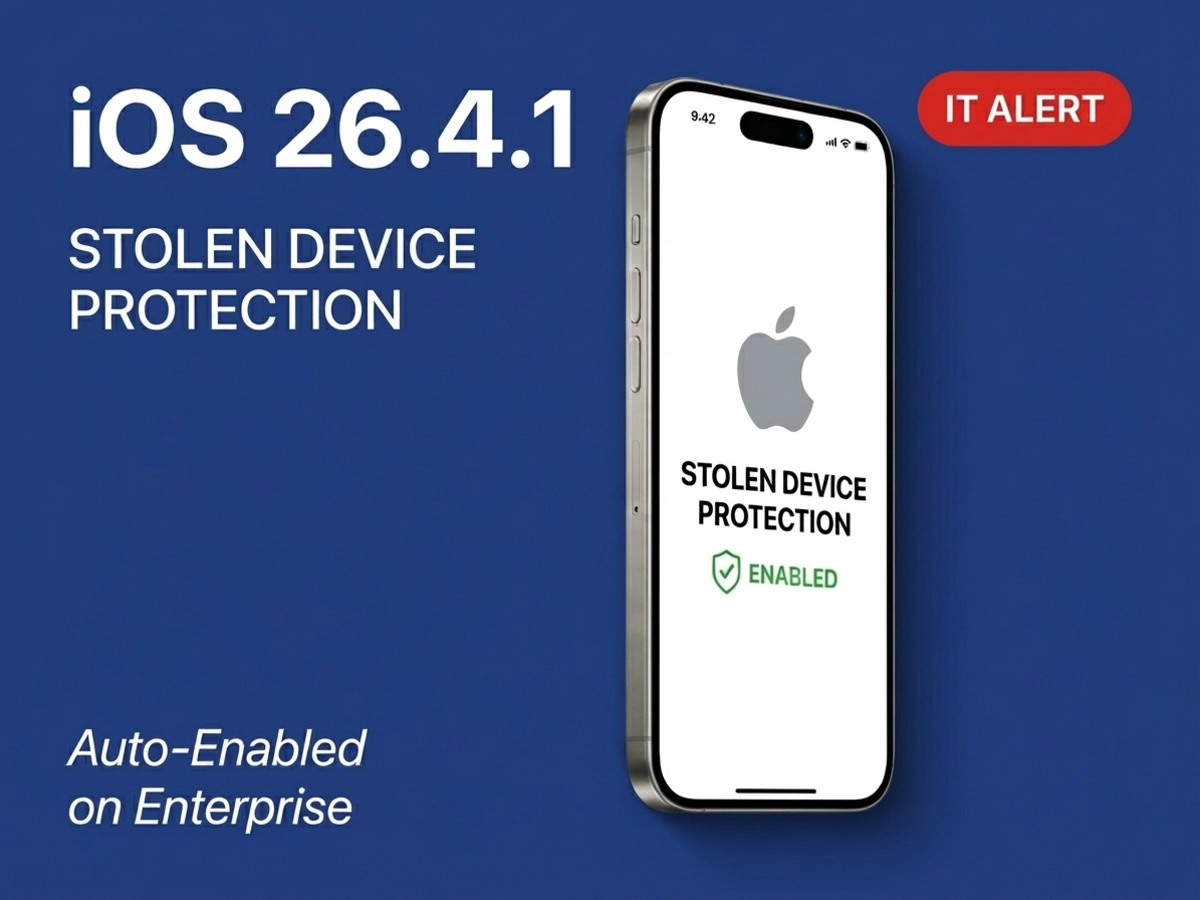
Apple pushed Stolen Device Protection to enterprise iPhones via a routine bug-fix update with no warning in the release notes. The change activates automatically for any managed device updating from iOS 26.4, and for BYOD fleets using manual MDM enrollment, it carries a friction point most IT teams haven't planned for.
Consumer devices got Stolen Device Protection by default on March 24 in iOS 26.4. Enterprise-managed devices waited exactly 15 days for the same protection, an interval that reflects how cautiously Apple moves when the change will touch managed fleets. The 15-day interval suggests Apple deliberately staged the rollout to allow IT teams time to adjust, though Apple has not confirmed this reasoning publicly.
Apple's enterprise support page now carries this language under the iOS 26.4.1 section: "Stolen Device Protection will be automatically enabled on devices that update from iOS 26.4 to iOS 26.4.1." The change applies specifically to that update path. Devices that were on iOS 26.3 or earlier and jump directly to iOS 26.4.1 do not receive the automatic activation through the same trigger, though they still benefit from SDP being available for manual configuration.
9to5Mac reported that the standard release notes for iOS 26.4.1 contained only the phrase "bug fixes," with no mention of SDP activation. Apple updated its enterprise documentation separately, after the release was already live. IT teams who monitor release notes but not the enterprise support page would have had no advance notice of this change.
We note that Apple has not publicly confirmed whether this 15-day gap between consumer and enterprise enablement was intentional or simply a consequence of release logistics, so the reasoning remains open. The CloudKit iCloud syncing bug was the other confirmed fix in this update, resolving a regression from iOS 26.4 that prevented data updates from propagating across devices in apps including Apple Passwords and Drafts.
iOS 26.4.1 carries build number 23E254 and applies to iPhone 11 and newer. It contains no new CVE-identified security patches; Apple's security content page confirms the release is a bug-fix update only. The SDP activation, while meaningfully improving enterprise security posture, is a configuration change rather than a vulnerability fix.
Stolen Device Protection was built to break a specific theft pattern: a criminal observes a target entering their passcode in a public space, steals the device, and then uses that passcode to access passwords, drain financial accounts, and lock the rightful owner out of their Apple ID. Before SDP, the passcode was the master key to nearly everything on the device. Apple introduced SDP in iOS 17.3 specifically to close that gap, making biometric authentication the requirement for the actions most valuable to a thief.
The protection works in two tiers. The first tier applies immediately when the device is away from a familiar location: actions like viewing saved passwords, accessing stored payment methods, and setting up a new device via Quick Start require Face ID or Touch ID, with no option to fall back on the passcode. The second tier adds a mandatory delay to the most consequential account-level changes. Modifying an Apple Account password, signing out of the Apple Account, adding or removing Face ID or Touch ID, resetting all settings, or enrolling in a new MDM solution all require an initial biometric scan, a one-hour wait, and then a second biometric scan. That enforced gap gives the legitimate owner time to recognize a theft is in progress and mark the device as lost before any permanent damage is done.
An important constraint for IT teams: Find My cannot be disabled while SDP is active. Organizations that manage Find My settings via MDM need to account for this dependency before deploying any profile that would attempt to alter Find My status on updated devices.
Apple's Stolen Device Protection support page specifies the complete prerequisite list: two-factor authentication on the Apple Account, a device passcode, Face ID or Touch ID, Significant Locations enabled under Location Services, and Find My turned on. All five must be in place. If Significant Locations is disabled, whether through a compliance profile, a restrictive MDM configuration, or a user preference, SDP cannot determine what constitutes a familiar location and its location-aware protections break down.
This prerequisite list matters for enterprise deployments because any of these elements might be deliberately restricted for organizational reasons. A compliance-focused profile that disables Location Services, or a kiosk deployment that doesn't enroll a personal Apple Account, will affect whether SDP functions as expected after the 26.4.1 update activates it.
There is also an "Always" mode that bypasses the familiar-location logic entirely: when enabled, SDP enforces the biometric requirements and one-hour delay regardless of where the device is, including at home or the office. This mode is configurable per device but is not the default. Most enterprise deployments will remain on the standard location-aware behavior unless users or admins explicitly change it.
Apple's iOS 26.4 security release notes document CVE-2026-28895, a vulnerability where an attacker with physical access and the device passcode could bypass the biometric gating on SDP-protected apps, accessing them with the passcode alone. Apple fixed this in iOS 26.4 through improved authentication checks. The sequence matters: Apple closed a hole in SDP's protection before expanding SDP's default coverage to enterprise devices.
The tension in this update is not between security and convenience, it is between two categories of enterprise devices that Apple treats very differently. For supervised devices enrolled through Apple's Automated Device Enrollment program, the 26.4.1 change is largely frictionless. For BYOD environments using manual MDM enrollment, it introduces an operational complication that has existed since iOS 17.3 but now affects every user on the updated software.
Devices that flow through Automated Device Enrollment (ADE) arrive at users already preconfigured, supervised, and enrolled in MDM before the user ever touches them. The SDP activation that occurs during the iOS 26.4.1 update on these devices happens after enrollment is already complete and the device is in active use. Because these devices are typically used regularly from a consistent set of locations, they accumulate familiar location data over time, and the SDP location-awareness layer works as intended.
For IT teams managing ADE fleets, the main practical consideration is verifying that the SDP prerequisites are satisfied across the device population. Any managed profile that disables Location Services or restricts Significant Locations tracking would interfere with SDP's location-aware behavior. Apple has indicated that MDM administrators can adjust SDP configuration after auto-enablement, meaning the default activation is not locked in permanently. The exact MDM payload controls for adjusting SDP on supervised devices are not fully documented in Apple's public-facing support pages; we recommend verifying with your MDM vendor before attempting any fleet-wide configuration changes.
Manual MDM enrollment on BYOD devices creates a different scenario. Sandbox IT Solutions documented that when SDP is active and a user attempts to install an MDM management profile at an unfamiliar location, the security delay triggers: the user must authenticate with Face ID or Touch ID, then wait one hour before the profile installation can complete. The device is not broken during this period, but the enrollment process stalls.
This delay existed before the 26.4.1 update, but it only affected users who had manually enabled SDP. Now that SDP activates automatically for any device updating from iOS 26.4, every BYOD user in that update window who enrolls in MDM from a location their phone doesn't recognize as familiar, such as a hotel, a conference room at a new office, or an airport, will hit the one-hour window.
There is a circular trap in the workaround: a user who tries to turn SDP off to avoid the delay is also subject to the one-hour security delay if they attempt to disable SDP while away from a familiar location. The only reliable path for BYOD enrollment without the delay is ensuring users are at home or another location their device has logged as significant when they go through the enrollment flow.
The SDP and MDM enrollment incompatibility was more severe in the original iOS 17.3 release, where SDP blocked MDM enrollment entirely when enabled. Apple resolved that complete block in iOS 17.4, so enrollment proceeds now, just with the potential delay. IT teams managing mixed BYOD environments using Intune, JumpCloud, or similar platforms should update their enrollment documentation to instruct users to complete MDM enrollment from a familiar location. App Protection Policies without full device enrollment remain a viable alternative for organizations where strict device control is less critical than data protection at the app layer.
This update arrived during a period of heightened iOS security attention, and it is worth separating the physical theft protection that SDP provides from the remote exploit threat that dominated security headlines through March and early April 2026.
Help Net Security documented that DarkSword chains six vulnerabilities to achieve remote code execution on devices running iOS versions between 18.4 and 18.6.2, entering through malicious JavaScript embedded in compromised legitimate websites. Coruna is a separate and more complex framework, containing five full iOS exploit chains and a total of 23 exploits. Both operate as watering-hole attacks: users visiting ordinary websites can be silently targeted, with no passcode entry required. These are remote threats that require no physical access to the device.
SDP is built for a fundamentally different scenario. It assumes the attacker already has the device in hand and knows the passcode. Its entire architecture is designed to make that combination insufficient for taking over an account or accessing protected data. SDP contributes nothing to defending against DarkSword or Coruna, because those attacks do not depend on physical access or passcode knowledge.
Apple's iOS 26.4 security release notes document CVE-2026-28895, the biometric bypass patched in the same release that first enabled SDP by default for consumer devices. That bypass allowed a physical attacker with the passcode to access biometrically-gated apps, undermining SDP's core premise. Patching it before expanding SDP's default coverage to enterprise devices reflects a logical sequencing: close the gap, then broaden the deployment.
Help Net Security also reported that CISA added three Coruna-related CVEs to its Known Exploited Vulnerabilities catalog on March 5, 2026. All DarkSword vulnerabilities were addressed across iOS 26.1 through 26.3. Coruna exploits were patched in iOS versions going back to 17.3. For enterprise IT teams communicating with employees after the 26.4.1 update, the practical message is that Coruna and DarkSword require staying on the latest iOS version, while SDP protects against a separate and older threat model involving physical device theft.
Stolen Device Protection becoming the default, legacy MDM software update commands being deprecated, and CVE-2026-28895's SDP bypass being patched in the same release cycle: Apple is not managing these as separate initiatives. Each one moves in the same direction. Each one reduces the number of security decisions that sit with IT administrators and moves them to Apple. Taken together, they constitute a consistent architectural shift in how Apple manages the relationship between device security and organizational device management.
The MDM software update piece is the most operationally urgent near-term item. Apple's "What's new for enterprise in iOS 26" support page specifies that legacy MDM software update commands, including the com.apple.SoftwareUpdate payload and MDM update queries, are deprecated and will be removed in the following year. Analysis from Intune in Real Life confirms that all legacy MDM software update methods will be completely removed with the iOS 27 release; organizations that have not migrated to Declarative Device Management for update policies will lose the ability to manage software updates entirely when iOS 27 ships.
Declarative Device Management (DDM) is an architectural replacement for the traditional server-push model of MDM. Rather than a management server sending commands that a device executes, DDM allows devices to check their own compliance against declared policies and apply them independently, even when the device is offline. For IT teams, the practical effect is more reliable enforcement with less active server coordination, but the migration requires rebuilding update policies before iOS 27 arrives.
The SDP auto-default fits the same pattern. Before iOS 26.4, enabling SDP was a per-device user choice or an IT recommendation. Apple is now setting the security baseline unilaterally for both consumer and enterprise devices, with organizational administrators able to adjust but not required to configure from scratch. This is a higher floor than many organizations were maintaining on their own, particularly in mixed fleets where some devices had SDP and others did not.
iOS 27 is expected at WWDC 2026 in June, which means the window for DDM migration is shorter than it may appear. Before that, iOS 26.5 is already in beta, carrying its own set of enterprise-relevant changes worth tracking as your fleet planning for the second half of 2026 takes shape. For most ADE-managed enterprise environments, these changes reduce the risk of security gaps caused by incomplete configuration or administrative oversight. For BYOD-heavy or operationally sensitive environments, they create new coordination requirements around enrollment workflows, location permissions, and policy migration timelines. The direction Apple is moving is clear. IT teams that plan against it proactively will find the iOS 26 cycle considerably less disruptive than teams that wait for the next release to surface the gap.
ADE-managed fleets: Verify that SDP prerequisites are satisfied across the device population. Check any MDM profiles that restrict Location Services or Significant Locations tracking, since these will affect SDP's location-awareness layer. Confirm with your MDM vendor what payload controls, if any, are available for adjusting SDP configuration on supervised devices.
BYOD environments with manual MDM enrollment: Update enrollment documentation to instruct users to complete MDM enrollment from home or a location the device recognizes as familiar. If your organization uses Intune or a similar platform for BYOD management, flag the one-hour enrollment delay as a known condition in your IT support documentation so help desk staff are not caught off-guard when tickets arrive.
All fleets: Begin evaluating your MDM software update management strategy. Legacy MDM software update commands are deprecated and scheduled for removal with iOS 27. DDM-based update policies are the replacement path, and migration should be underway before WWDC 2026 in June, when iOS 27 development will accelerate toward a fall release.
The activation applies specifically to devices updating from iOS 26.4 to iOS 26.4.1. Apple's enterprise support page states this explicitly. A device on iOS 26.3.2 or earlier that installs iOS 26.4.1 directly does not receive the automatic SDP activation through the same trigger; the feature will be available and can be enabled manually, but it does not turn on automatically via this update path.
This distinction matters for fleet management. If your organization delayed the iOS 26.4 rollout or uses MDM policies to stage updates, devices that have not passed through iOS 26.4 first will not have SDP auto-enabled by this update. Managing the 26.4 to 26.4.1 update path on a staged schedule gives IT teams more control over when the SDP default activation reaches each device cohort.
Multiple sources confirm that MDM administrators retain the ability to adjust SDP configuration after auto-enablement; the default activation is not a permanent lock. However, the exact MDM payload or configuration key for managing SDP on supervised devices is not comprehensively documented in Apple's current public-facing support pages.
For organizations that have operational reasons to adjust SDP behavior, such as kiosk deployments, shared device configurations, or workflows that require account-level changes away from familiar locations, we recommend reaching out to your MDM vendor for current guidance on available controls. Attempting to configure SDP settings without confirmed payload support may not produce the expected result.
The one-hour delay is not an error, and it is not a sign that something has gone wrong with the device. When SDP is active and a user attempts to install an MDM management profile at an unfamiliar location, the security delay is by design: SDP treats MDM enrollment as a security-significant action, just like changing an Apple Account password or resetting device settings.
The clearest resolution is for the user to complete the enrollment process from their home or regular workplace, locations the device has identified as familiar. If that is not practical, the user can wait one hour after the initial biometric prompt and attempt the profile installation again. Instructing users to disable SDP before enrolling is technically possible but adds its own complication: disabling SDP at an unfamiliar location also triggers the one-hour security delay. The most reliable approach is routing BYOD enrollment to familiar locations as a standard workflow requirement.