|
|
|
|
Insights and perspectives on technology, AI, software development, and industry trends from the TrueSolvers team
You can buy a new M1 MacBook Air for just $599. My research shows this five-year-old chip still outperforms most new Windows laptops and many newer Macs, making it the smartest value buy in Apple's lineup for most users.
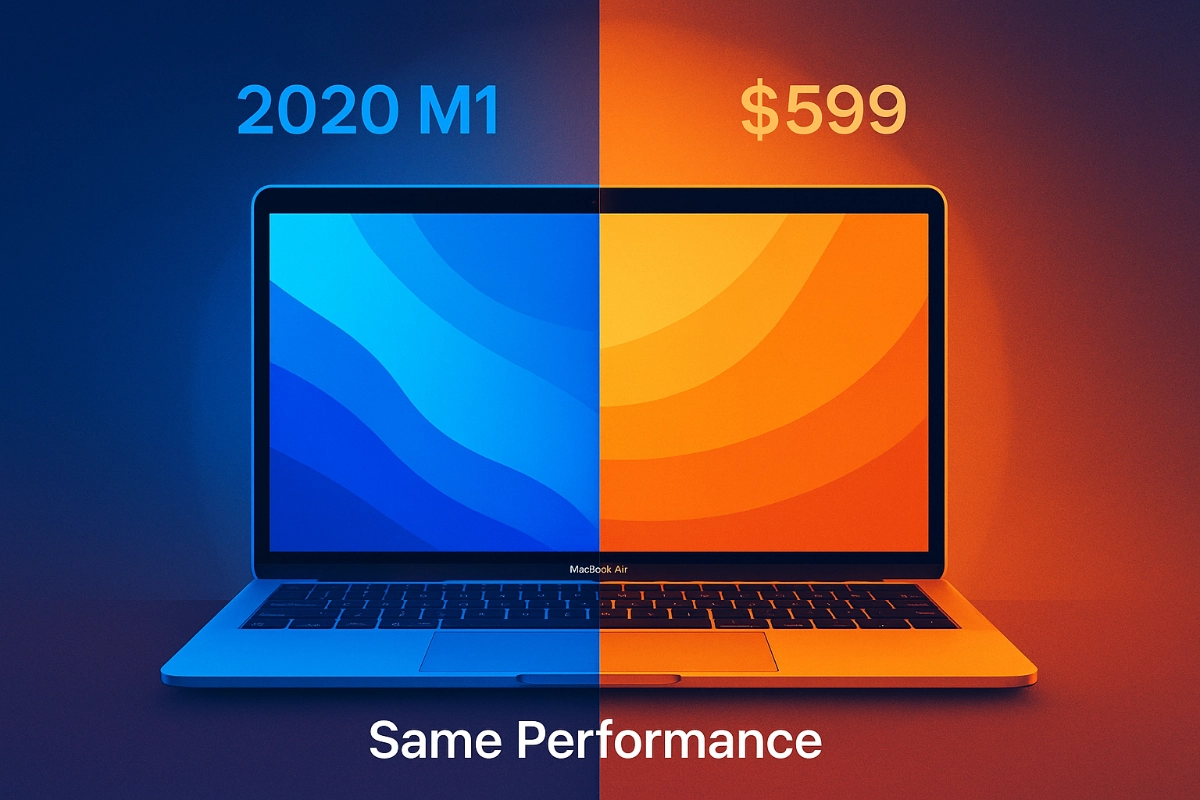
It’s a fact that can feel a little startling. Right now, a brand new 13-inch MacBook Air with the original M1 chip, 8GB of memory, and a 256GB solid-state drive is available at Walmart for $599 . This isn't a used or refurbished model; it's a new-in-box computer sitting on clearance shelves. This price point is historically low for an Apple laptop of this caliber.
When the M1 MacBook Air launched in late 2020, its starting price was $999. Finding it for $400 less is a significant shift in the Apple ecosystem, which is not known for deep discounts on current-generation hardware. This clearance event isn't a one-off. Multiple reports from August confirm that this price is a consistent, online offering in all three colors .
The reason for this sudden affordability is simple: Apple has moved on. They’ve released the M2, M3, and now the M4 MacBook Air, pushing the M1 model to the fringes of their catalog. But this clearance status is a golden opportunity for consumers who value performance and longevity over having the absolute latest design.
Upon review of current market pricing and Apple's product cycle, this represents a classic value inflection point. Apple’s hardware is famously long-lasting, and macOS support typically extends for a decade. Paying full price for a brand-new M2 or M3 Air, which offers only incremental gains for many users, may be an unnecessary expense when the foundational M1 is this accessible.
The most common objection to buying an older chip is that it must be slow by now. The data tells a completely different story. The M1 chip’s architecture was so fundamentally advanced that its performance remains competitive today.
Official Apple technical specifications show the M1 features an 8-core central processing unit (CPU), split into four high-performance cores and four high-efficiency cores. It’s paired with a 7- or 8-core graphics processing unit (GPU) and a 16-core Neural Engine for machine learning tasks . This unified memory architecture, where the CPU, GPU, and other components share a single, fast memory pool, was a key to its speed.
Independent benchmarking provides the concrete proof. In the Geekbench 6 CPU test, the original M1 MacBook Air scores 2,346 for single-core performance and 8,345 for multi-core performance . An Intel Core i7-12700, a common processor in many Windows laptops, is used by Geekbench as its baseline of 2,500 points . This means the M1 is essentially neck-and-neck or faster than a mainstream Intel chip that’s years its junior.
The comparison to its own successors is also revealing. The M2 chip in the next-generation Air offers a multi-core score of 9,670 , which is about a 16% increase. The M3 Air pushes that to around 10,500, a roughly 25% gain over the original M1 . For everyday tasks like web browsing, office work, photo editing, and even moderate video editing, this difference is often imperceptible in real-world use. The M1 remains a very fast computer.
Raw benchmark numbers only tell part of the story. The true brilliance of the M1, and why it still feels so capable, lies in its power efficiency. This is where Apple’s decade of mobile chip design, honed on the iPhone and iPad, paid massive dividends for the Mac.
Apple’s official technical documentation states that the M1 MacBook Air can deliver up to 18 hours of video playback from its built-in battery . Reviews from major tech publications consistently confirm this, reporting all-day battery life that leaves most Windows competitors in the dust .
This longevity isn't just a convenience; it's a core part of the user experience. It means the laptop can go from a morning coffee shop session to an evening work session without ever needing to be plugged in. This efficiency also means the M1 MacBook Air is fanless. It can handle most tasks silently, without the whirring and heat that often plague even thin-and-light Windows laptops. This combination of quiet operation and all-day power is a major, tangible benefit that’s hard to quantify in a spec sheet but is immediately felt by the user.
The M1’s Neural Engine, capable of 11 trillion operations per second , also plays a role. It handles background machine learning tasks for features like voice recognition and photo organization without taxing the main CPU, further preserving battery life and keeping the system responsive.
The $599 M1 MacBook Air isn't for everyone, but for a very large group of users, it is the perfect machine.
You should absolutely buy an M1 Mac if your primary activities are web browsing, email, word processing, spreadsheet work, video calls, streaming media, and light-to-moderate photo editing. Its 8GB of unified memory is sufficient for these tasks, and its performance is more than adequate. The all-day battery and silent operation are perfect for students, writers, and general home users. The price makes it an exceptional value.
You should consider a newer Mac if your workflow is more demanding. If you regularly edit 4K or 8K video, work with massive Photoshop files, compile large codebases, or run complex 3D rendering software, a machine with more memory (16GB or more) and a more powerful chip like the M3 or M4 will provide a noticeably better experience. The M1’s 8GB memory ceiling is its primary limiting factor for professional creative work.
Even then, it’s worth asking whether the latest chip like the M5 actually delivers a real-world benefit for your tasks. Our deep dive into the M5 MacBook Pro shows that despite massive benchmark leaps, most creative professionals won’t see meaningful time savings.
Read: M5 MacBook Pro: When the Speed Boost Actually Matters
It’s also worth noting the current state of Apple’s pro lineup. For users who might have been eyeing a Mac Pro, recent benchmarks show that the Mac Studio with the M3 Ultra chip is approximately 30% faster than a Mac Pro with the previous-generation M2 Ultra processor . This further validates the core premise: Apple’s tightly integrated silicon strategy has moved the performance crown away from traditional, upgradable towers and into its all-in-one desktops and laptops. If you don’t need the specific expansion capabilities of the Mac Pro, its high price is hard to justify.
After examining of Apple’s current chip hierarchy and market positioning, the M1 represents a sweet spot in its product stack. It offers 80-90% of the performance of its much more expensive siblings for a fraction of the cost, with the key trade-off being a fixed 8GB of memory. For the vast majority of consumers, that trade-off is an excellent bargain.
Buy the M1 MacBook Air for $599 if your work is primarily web, office, and media it offers 90% of the performance of newer models for basic tasks.
Avoid the M1 if you regularly edit 4K video or run memory-intensive professional software, as its 8GB unified memory will become a bottleneck.
Choose a newer M-series Mac only if you need more than 8GB of memory or perform heavy GPU/CPU workloads that benefit from the latest core counts.
The M1’s 18-hour battery life and silent, fanless design provide a superior real-world experience compared to most Intel-based laptops, justifying its ongoing value.
Share your expertise with our growing community. We accept in-depth articles on Tech, AI, Dev, and Sports.
Get Started