Finished reading? Continue your journey in AI with these hand-picked guides and tutorials.
Boost your workflow with our browser-based tools
Share your expertise with our readers. TrueSolvers accepts in-depth, independently researched articles on technology, AI, and software development from qualified contributors.
TrueSolvers is an independent technology publisher with a professional editorial team. Every article is independently researched, sourced from primary documentation, and cross-checked before publication.
Google is testing tools that let users carry their ChatGPT memory and chat history into Gemini. But the process requires two separate exports from ChatGPT, not one, and the chats you upload are stored in Google's training data by default. Here's what to understand before you start the switch.
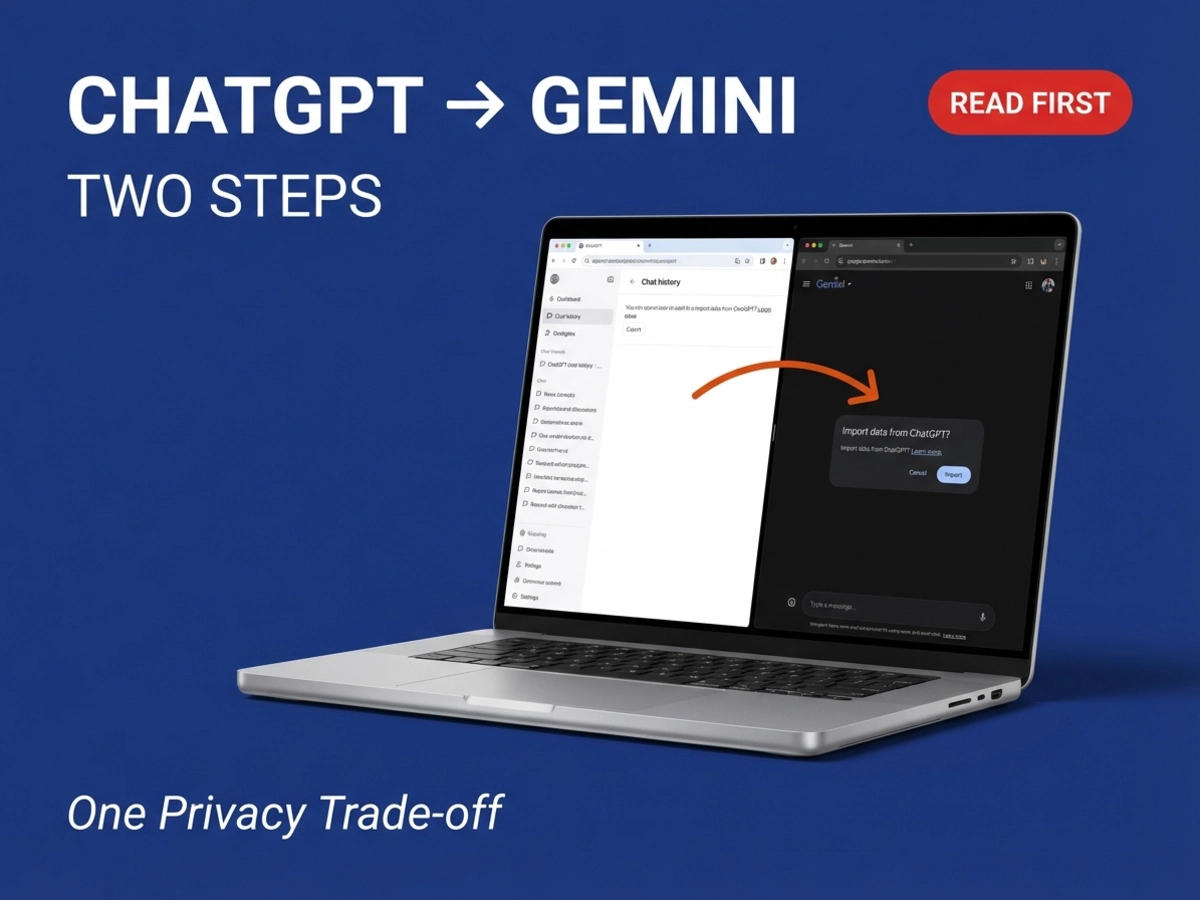
Google is building two distinct import tools inside the Gemini app, and the distinction matters. The first handles memory, transferring the personalization context your previous chatbot accumulated, including preferences, working style, and recurring projects, into Gemini's memory system. The second handles history: it ingests the full archive of your past conversations.
The tools were uncovered through an APK teardown of Google app version 17.11.54.sa.arm64, a method of reading work-in-progress code to identify features before they ship. APK teardowns reveal features in development but cannot guarantee public release. The chat import tool requires a ZIP file, and that file cannot exceed 5GB. The memory import tool uses a different flow entirely: Gemini provides a prompt that users paste into their existing chatbot; that chatbot responds with a summary of what it knows; the user copies the response and pastes it into a Gemini import box.
Neither tool is fully public yet. The feature surfaces under a beta label in Gemini's attachment menu, and no official release date has been confirmed. Most accounts cannot currently trigger the import flow at all, which suggests the rollout is staged behind a feature flag. Gemini Advanced subscribers have access to the memory system that these imports feed, though the import feature's specific subscription requirements remain unconfirmed.
The design of the two tools reflects the actual structure of AI chatbot data. Memory and conversation history live separately in competing platforms, so Google built two separate tools corresponding to those two separate data pools. We have not confirmed which source platforms beyond ChatGPT will be supported at launch, as Google has not published that detail ahead of general availability. ChatGPT is the obvious first target, given that platform's market position, and it is the only platform shown in available screenshots.
The "seamless" framing around Gemini's import tools describes the destination, not the journey. Before a user can take advantage of either import path, ChatGPT requires two entirely separate export operations: one for conversation history and one for memory. Most coverage of this feature has omitted that prerequisite entirely.
ChatGPT's standard data export lives under Settings > Data Controls. When triggered, it generates a ZIP file containing your conversation logs, images, and associated files. That export does not include your ChatGPT memory. The memory layer lives separately in Settings > Personalization > Memory, and it cannot be downloaded as a file. To move memory to Gemini, users must use the copy-paste prompt flow: paste Gemini's provided prompt into ChatGPT, copy ChatGPT's summary response, and paste it into Gemini manually. To move conversation history, users download the separate ZIP export and upload it.
These are two distinct operations requiring two separate origination points in ChatGPT's settings. A user who completes only the ZIP export and uploads it to Gemini will have their conversation archive but none of their personalization context. A user who completes only the memory copy-paste will have personalization but none of their conversation history. Both tools are required for a meaningful migration, and both require preparation on the ChatGPT side before Gemini's import interface becomes relevant.
Gemini's memory import relies on whatever ChatGPT has stored in its memory layer, a system that its standard data export deliberately excludes, meaning a switcher must complete two separate operations from ChatGPT before Gemini's tools are useful at all. This structural reality is absent from most announcement coverage because the tools were analyzed from Gemini's side of the transaction.
We have not seen the two-step preparation requirement addressed in any mainstream coverage of this feature, and it represents the most consequential gap in how the tools have been reported.
Understanding the scale of a ChatGPT export before uploading it is not a minor housekeeping step. For heavy ChatGPT Plus users, the conversation archive can arrive as a ZIP file exceeding 1GB, which expands to roughly 1.5GB when extracted. Gemini's 5GB upload limit accommodates this, but the limit measures raw file size, not processing compatibility. Google has not confirmed which internal file structures within an archive Gemini can fully handle on ingest.
The archive itself is not a curated backup. It arrives as a collection of JSON conversation files, scattered image assets, and a monolithic HTML transcript file that, on modest hardware, can crash a browser trying to open it. There is no README file, no folder organization, and no separation between work-related and personal conversations. Whatever is in the archive goes in together.
ChatGPT's export email link expires after 24 hours. Once the export is ready, ChatGPT sends a download link that becomes inaccessible the following day. If you don't download it promptly, the export process must be restarted from the beginning. This adds a time constraint to a migration that already requires coordinating multiple settings pages across two separate platforms.
We note the 5GB limit is a ceiling, not a guarantee of format compatibility; Google has not confirmed which archive structures within that limit Gemini can fully process. The practical implication: don't treat the 5GB cap as the only relevant filter. Reviewing the archive and removing unneeded or sensitive content before uploading serves multiple purposes, including reducing the volume of potentially sensitive information entering Gemini's training pipeline.
The import tools surface a privacy decision that deserves attention before the upload button is pressed. Google's defaults are clear in the documentation, but they are easy to miss in the flow of setting up a new platform.
The Gemini Apps Privacy Hub, last updated February 18, 2026, specifies that content stored in Gemini Activity is used to develop and improve Google's services, including training generative AI models. Keep Activity, the setting that controls this, is on by default for most adult users. When a user uploads their ChatGPT conversation archive to Gemini, that content lands in Gemini Activity and is subject to those defaults unless the user actively changes them. The beta import popup reinforces this: Digital Trends documented that the import interface warns users directly that imported chats are stored in Gemini Activity and can be used to improve Google's models.
The Gemini Apps Privacy Hub also specifies that a subset of chats reviewed by human reviewers are retained for up to three years in a state disconnected from the user's account, and that chats with Keep Activity off are retained for 72 hours for service continuity. Even after a user deletes their Gemini activity, reviewed content already processed by service providers is not deleted alongside it. These are the terms that govern the conversations being imported, which for many users include years of professional context, project details, and personal preferences.
We have not independently verified whether the specific privacy terms that apply to manually imported archives differ from those governing native Gemini conversations, and Google has not published separate data handling documentation for the import feature ahead of general availability.
Turning off Keep Activity before uploading changes the data handling terms that apply to your imported content. With Keep Activity off, future chats, including the imported archive, are not used to train Google's models. The data is retained for 72 hours for service continuity and safety purposes, but does not contribute to model improvement. The tradeoff is real: turning off Keep Activity disables some Connected Apps integrations, including Google Workspace tools.
Temporary Chats offer a middle path for testing. A temporary chat session is not saved and is not used for personalization or training, which makes it a lower-stakes way to explore how Gemini handles the context before committing to a full import under standard settings.
The Gemini Apps Privacy Hub provides a current reference for these settings and their downstream effects. The documentation is worth reading directly rather than relying on summaries, since the implications vary based on account type and whether Connected Apps integrations are in active use.
Google's Gemini Privacy Hub specifies that content imported and shared with Gemini is stored in Gemini Activity and can be used to improve its models, while Anthropic's competing import tool, which launched earlier, explicitly states imported memories are not used for model training. Claude's tool imports memory summaries rather than raw conversation logs, and those memories are encrypted and available for export at any time. The two platforms built tools that accomplish the same user-facing goal — reducing the cost of switching — but the defaults governing what happens to the transferred data sit at opposite ends of the privacy spectrum. A user choosing between platforms for a migration is also choosing between those two data handling architectures, and that decision is invisible if you are only comparing feature availability.
Every ChatGPT export carries not just your carefully built context, it carries everything ChatGPT got wrong about you too, and Gemini has no mechanism to distinguish between the two on import. ChatGPT's memory is a passive accumulation system: it stores observations from conversations over time without user review. Entries can be stale, contradictory, or simply wrong, and how significant that problem is depends on how actively you have curated your ChatGPT memory and whether you review it before importing. The extent of this limitation varies directly with that curation history.
We have no indication from available feature documentation that Gemini currently applies any contextual filtering on ingest. Based on how both systems describe the import process, there is no indication that either platform currently applies a filter between what is imported and what becomes active context. This may change before general availability, but the beta implementation does not describe a curation or review step.
The gaps extend beyond data quality. ChatGPT Projects, workspaces where memory persists across a set of conversations and uploaded reference files remain available session to session, have no direct equivalent in Gemini. Gems, Gemini's analogue to custom instructions or custom GPTs, do not carry cross-conversation memory by default. Each Gem session starts from the base instructions only. A user who relied on Projects for long-running work contexts will need to reconstruct that continuity manually in Gemini, typically through a supplementary reference document.
Custom GPTs also don't migrate. The instructions, persona definitions, and behavioral customizations in a custom GPT must be manually extracted and rebuilt as a Gem from scratch. This isn't a limitation of the import tools specifically; it reflects the architectural difference between the two platforms. The import covers chat history and basic memory, not the higher-level working configurations that advanced ChatGPT users build over time.
Gemini's memory paradigm also operates differently from ChatGPT's automatic accumulation. ChatGPT builds its memory of you through conversation without requiring deliberate input. Gemini's memory system requires more active management: users need to explicitly configure what Gemini should retain. An imported memory summary gives Gemini a starting point, but maintaining and expanding that memory going forward demands more ongoing user attention than ChatGPT's passive model requires.
The value an import delivers depends almost entirely on what goes into it. These four steps, completed before either import tool, function as a quality gate that directly determines what Gemini receives.
Download your ChatGPT data export. Go to Settings > Data Controls > Export Data in ChatGPT. The export will be emailed as a download link, and that link expires in 24 hours. Download it promptly. The resulting ZIP contains your conversation archive and will be the file used for Gemini's chat import.
Separately copy your ChatGPT memory. The standard export does not include memory. In ChatGPT, go to Settings > Personalization > Memory and review all stored entries. Delete anything outdated, incorrect, or sensitive before beginning the memory import. This is the content that Gemini's copy-paste prompt flow will transfer, and there is no subsequent editing step inside Gemini's import interface.
Review the conversation archive before uploading. Open the ZIP and scan for conversations containing sensitive professional details, API keys, confidential project information, or personal data you would not want processed by a third-party reviewer. Remove or archive those files separately. Chat transcripts frequently contain more sensitive context than users remember including.
Adjust your Keep Activity setting before importing. Decide whether you want imported content to contribute to Google's model training. If not, turn off Keep Activity in Gemini Apps Activity before uploading. The setting path: Gemini > Settings > Gemini Apps Activity > Turn off. Turning this off disables some Google Workspace integrations, so confirm that tradeoff is acceptable before making the change.
We recommend completing all four steps before either import tool, regardless of how much context you have built, since data quality at the source directly limits the value of what Gemini receives.
The import tools are a meaningful step toward AI portability, but they are not yet a general-audience feature. They remain behind a feature flag with no confirmed public release date and no confirmed list of supported source platforms. Google I/O 2026, scheduled for May 18–20, is the most plausible near-term window for a public announcement or broader rollout, though Google has not confirmed this timing. Based on how Google typically stages feature rollouts, a wider beta before full general availability should be expected regardless of when the first public announcement occurs.
For users who primarily need their professional context, preferences, and working style carried forward, the memory import via the copy-paste flow is the more immediately useful tool and the one more likely to be accessible in the current limited rollout. For users who need their full conversation archive, the chat import via ZIP requires more preparation and involves more data entering Gemini's default settings.
The users best positioned to get value from the switch are those already using Google Workspace heavily, since Gemini's Connected Apps integrations make it a stronger co-pilot for Gmail, Docs, and Calendar than most alternatives. For users evaluating whether Gemini's underlying model justifies the migration effort, Gemini 3.1 Pro's context window is worth understanding separately: the model processes up to 1 million tokens while maintaining retrieval accuracy at extended lengths, which matters for users who work with large documents, codebases, or research sets. The model launched February 19, 2026, and represents the current capability baseline you would be migrating toward.
The users who should wait are those whose ChatGPT usage centers on Projects and advanced custom workflows, since those configurations have no direct import path and require manual reconstruction. For that group, the migration cost goes well beyond what any import tool can address.
Neither group should skip the pre-import checklist. The data built over years of AI conversations is worth handling carefully, and Google's defaults on first contact with that data are not the defaults that minimize its exposure.
Gemini's memory system, which is where imported memory data lands, is available to Gemini Advanced subscribers. The memory import tool feeds into that system. Based on what the current beta reveals, the full memory import functionality appears tied to Advanced subscription status.
The chat import tool, which handles conversation archives, has not been confirmed as Advanced-only in available documentation. However, the feature is currently behind a feature flag and limited to select users regardless of subscription tier. Most free accounts cannot trigger either import flow at this stage.
The rollout is staged, which means the subscription requirements may not fully apply until the feature reaches wider availability. We have not confirmed final tier requirements from Google ahead of general availability.
Gemini's memory import tool is designed to be platform-agnostic in principle: the copy-paste prompt flow asks the source chatbot to summarize what it knows about the user, so it can technically work with any chatbot that can respond to such a prompt. The supported platforms for the chat history import have not been confirmed in available screenshots or documentation.
Supported file formats for the archive upload are also unconfirmed. ChatGPT exports as a ZIP containing JSON and HTML files. Other platforms use different formats, and it is not yet clear whether Gemini's ingest pipeline handles them all.
Claude's own memory import tool, launched separately by Anthropic, explicitly supports imports from ChatGPT, Gemini, Microsoft Copilot, Grok, and others. If your goal is to carry memory context from Gemini to Claude rather than the reverse, that pathway is currently more confirmed and publicly available than the Gemini import tools.
Google has not announced a release date for either import tool. As of late March 2026, both tools remain in testing with access limited to a small group of users. The tools were surfaced through an APK teardown, which identifies features in development rather than features ready to ship.
Google I/O 2026 is scheduled for May 18–20 and is a plausible occasion for an announcement or broader launch, but Google has not confirmed this timing. Based on how Google typically stages feature rollouts, a wider beta before full general availability should be expected regardless of when the first public announcement occurs.
Turning off Keep Activity meaningfully changes how Gemini functions. Google Workspace integrations, including Gemini's ability to access Gmail, Google Docs, and Calendar, are disabled when Keep Activity is off. Personalization features that draw on past conversation context are also unavailable, since those features require saved activity to reference.
The 72-hour temporary retention that applies when Keep Activity is off still allows Gemini to respond in context within a session. It simply does not persist that context beyond the immediate window or feed it into model training.
Temporary Chats offer a separate option for users who want to interact with Gemini without any activity being saved at all. Temporary Chat sessions are not saved, not used for personalization, and not used for model training. They are a practical way to test how Gemini handles imported context before deciding on permanent settings.